
Cloud-based CRMs are essential for remote and hybrid teams, offering tools to manage customer interactions, automate tasks, and improve collaboration. By 2025, over 80% of businesses are using or planning to implement these solutions, driven by benefits like 40% productivity boosts with AI tools and 24% higher customer satisfaction through mobile accessibility.
Here are the top 7 cloud CRMs for remote teams:
- CRM Experts Online: Tailored solutions with advanced AI, mobile access, and deep integration options. Pricing: $250–$4,500/month.
- Salesforce CRM: Feature-rich platform with Einstein AI, extensive customization, and 3,000+ integrations. Pricing: $25–$300/user/month.
- HubSpot CRM: User-friendly with AI-powered tools and a free plan. Pricing: Free–$4,300/month.
- Zoho CRM: Affordable with Zia AI for automation and strong integration capabilities. Pricing: $14–$40/user/month.
- Monday.com CRM: Visual collaboration and basic automation tools. Pricing: $15–$33/user/month.
- Pipedrive: Simplified sales-focused CRM with AI deal predictions. Pricing: $19–$74/user/month.
- Freshsales (Freshworks CRM): Affordable with Freddy AI for lead scoring and automation. Pricing: $9–$59/user/month.
Quick Comparison
| CRM Platform | AI Features | Mobile Access | Integration Options | Pricing (USD) | Best Use Case |
|---|---|---|---|---|---|
| CRM Experts Online | Advanced AI & analytics | Offline sync | Unlimited, custom API | $250–$4,500/month | Custom enterprise solutions |
| Salesforce CRM | Einstein AI tools | Offline access | 3,000+ integrations | $25–$300/user/month | Large enterprises |
| HubSpot CRM | Breeze AI assistant | Real-time sync | 1,000+ integrations | Free–$4,300/month | SMBs, free-tier users |
| Zoho CRM | Zia AI assistant | Offline sync | 300+ apps | $14–$40/user/month | Budget-conscious teams |
| Monday.com CRM | Basic AI tools | Real-time sync | 200+ integrations | $15–$33/user/month | Visual task management |
| Pipedrive | AI Sales Assistant | Pipeline tracking | 350+ integrations | $19–$74/user/month | Sales-focused teams |
| Freshsales | Freddy AI automation | Offline sync | 1,000+ integrations | $9–$59/user/month | Customer support teams |
Each CRM offers unique features tailored to different team needs. Choose based on your priorities, such as AI capabilities, collaboration tools, or budget.
Best CRM Software ???? Top 7 Free & Paid Tools
Key Features Remote and Hybrid Teams Need
When choosing a cloud CRM for remote operations, certain features can make or break a team’s success. Remote teams face unique challenges that require specific tech solutions. The right features address these challenges head-on, ensuring smooth workflows and effective collaboration. Let’s break down the must-have features that help remote teams excel.
Real-Time Collaboration Tools are essential for any remote CRM setup. Teams need integrated messaging, video conferencing, and discussion boards to keep communication smooth and efficient [3]. In fact, 64% of respondents report that juggling too many communication platforms actually reduces efficiency [5]. A CRM with built-in collaboration tools eliminates this issue by centralizing communication.
Features like task management, real-time file sharing, and interactive discussion boards ensure that customer communications stay organized and accessible [3][4].
"Collaboration is working together on a shared project or goal. Use collaboration tools for business to stay on task, keep projects organized, and get work done." – Microsoft [6]
AI-Powered Automation has become a game-changer for remote teams. It handles repetitive tasks like data entry and lead scoring, freeing up your team to focus on more strategic work [7][8]. For instance, AI-driven lead scoring helps sales teams zero in on high-potential prospects, while automated data capture reduces manual errors and saves time.
The results are hard to ignore: 46% of businesses report increased revenue after adopting AI in their CRM [9]. AI-powered chatbots also offer 24/7 customer support, ensuring quick responses and higher customer satisfaction – even when your team is offline [7]. For remote teams, AI can provide real-time insights and actionable recommendations, helping sales and marketing staff make better decisions on the fly [8].
Mobile Accessibility is no longer a luxury – it’s a necessity. Studies show that mobile accessibility can boost sales productivity by up to 26% [2]. Yet, only 45% of sales teams use mobile devices to access their CRM, despite 81% using them for email [2]. This gap highlights a missed opportunity to enhance productivity.
A mobile-friendly CRM allows teams to respond quickly and engage with customers without being tied to a desk [10]. To be effective, the mobile interface should feature responsive design, streamlined workflows, offline access, and touch-optimized navigation [2].
"With Mobile CRM you’re not just responding to customers, you’re anticipating their needs. This can boost trust and loyalty like nothing else." – Tamer Badr, Owner of Singleclic [11]
Integration Capabilities are key to ensuring your CRM fits seamlessly into your team’s existing workflow. Remote teams often rely on multiple tools for communication, project management, and file sharing. A CRM that integrates with platforms like Microsoft Teams, Google Workspace, Slack, and Zoom creates a unified workspace [3]. This reduces technical hiccups, which is crucial given that 80% of remote workers lose time due to technical issues during online or hybrid meetings [5].
Security and Compliance features are critical when team members access sensitive customer data from various locations. Look for CRMs that offer strong encryption, multi-factor authentication, and compliance with industry regulations [10]. While 82% of businesses report improved data accuracy with mobile CRM, this only holds true when robust security measures are in place [10].
1. CRM Experts Online
CRM Experts Online stands out as a platform designed specifically for remote teams, combining tailored services with cutting-edge technology to streamline workflows and enhance productivity.
This CRM solution, founded by John Perez, is built to adapt to your team’s unique processes rather than imposing rigid, one-size-fits-all systems. It offers a full suite of services, including development, implementation, consulting, and ongoing support – perfect for remote teams that want expert assistance without the hassle of hiring in-house specialists.
AI-Powered Automation
One of the standout features of CRM Experts Online is its use of AI to address common productivity challenges for remote teams. The platform automates tasks like data entry, follow-up reminders, and reporting while also analyzing customer behavior. These AI-powered features have been shown to boost revenue per salesperson by 41% and improve customer retention rates by 35% [14].
This approach aligns with Gartner’s forecast:
"Organizations that prioritize AI-driven decisions will outperform their competitors in customer engagement and retention by up to 25% within the next year." – Gartner [12]
Additionally, AI automation can cut response times by 50% and increase sales productivity by 14% [12]. For teams spread across different time zones, this ensures timely responses and seamless communication, reducing the risk of missed opportunities.
Mobile Accessibility
Understanding the importance of flexibility, CRM Experts Online includes a responsive mobile interface. With offline access and touch-friendly navigation, team members can stay productive even in areas with limited connectivity.
Integration Capabilities
The platform excels at creating a unified workspace by integrating with essential tools like Microsoft Teams, Google Workspace, Slack, and Zoom. Beyond these pre-built integrations, the team also offers custom plugin development and hosting solutions tailored to your specific tech stack. This ensures the CRM becomes a centralized hub for managing all customer-related activities.
Pricing Tiers
To cater to various team needs, CRM Experts Online offers three service tiers:
- Self-Guided: $250/month, ideal for smaller, independent teams.
- Managed Support: $1,300/month, providing a balance of features and expert assistance.
- Comprehensive Support: $4,500/month, designed for large-scale implementation with dedicated support and unlimited live training.
Each tier includes core AI capabilities, mobile functionality, and varying levels of support, making it easy for remote teams to find a plan that fits their requirements.
2. Salesforce CRM
Salesforce provides a centralized workspace that helps remote teams collaborate effectively across sales, marketing, and service functions. By acting as a hub for managing customer relationships, the platform simplifies teamwork and enhances productivity, even for distributed teams. Let’s dive into how Salesforce’s tools help teams tackle challenges in collaboration and automation.
Real-time Collaboration Tools
Salesforce brings together essential tools to enable smooth collaboration, ensuring team members can communicate and access data in real time [15].
With Salesforce Chatter, teams can stay connected by sharing updates and insights across departments, keeping everyone on the same page [15].
This collaborative approach delivers measurable results. Companies prioritizing teamwork are 5x more likely to achieve high performance, and collaborative teams are 64% more likely to stay focused and succeed in their tasks [15].
Some real-world examples highlight Salesforce’s impact:
- Decathlon used Salesforce’s analytics to unify its data, speeding up product launches by 50%.
- Asian Paints leveraged Salesforce to personalize its offerings and improve customer engagement [15].
AI-Powered Automation
Salesforce’s AI tools, Einstein and Agentforce, are game-changers for automating repetitive tasks. Considering that employees spend 41% of their time on such tasks, these tools are crucial for boosting efficiency [17].
- Einstein AI handles tasks like scheduling meetings, summarizing emails, conducting research, and analyzing data.
- Agentforce enables businesses to create autonomous agents that streamline communication, automate workflows, and bridge the gap between remote and in-office teams [16].
The results speak for themselves:
- A healthcare company reduced manual charting by 75%, saving $799,000 annually.
- A telecom company improved response times by 67%.
- An insurance brokerage saved 44,000 hours and $6.9 million [17].
"Right now we’re seeing little dollops of AI productivity being added to existing processes, but over time what we expect is that work will truly be transformed."
- Mick Costigan, Vice President of Salesforce Futures [16]
Mobile Accessibility
Salesforce Mobile ensures that teams can stay connected and productive from anywhere. The app provides full CRM functionality across devices, with offline access and real-time synchronization to keep data up-to-date, even in areas with limited connectivity [18].
Key features include AI-powered CRM tools and real-time collaboration capabilities. This is especially useful for sales professionals, who can manage leads, close deals, and track customer interactions while on the go [18].
The mobile app is included with all Salesforce licenses, but advanced features are available through Salesforce Mobile App Plus, starting at $25/user/month (with a $25,000 minimum) [19].
Integration Capabilities
Salesforce seamlessly connects with other business tools, allowing remote teams to maintain their workflows while benefiting from centralized customer data [15].
For example, Royal Enfield used Salesforce’s Marketing Cloud to unify customer data and automate its marketing efforts. This not only improved coordination but also strengthened customer loyalty by fostering a sense of community among its riders [15].
Salesforce’s flexibility allows businesses to customize the platform with tailored fields, objects, and workflows. This ensures remote teams can stick to familiar processes while maintaining consistent and accurate data across the organization.
3. HubSpot CRM
HubSpot CRM stands out as a robust tool designed to bring remote teams together through real-time collaboration, advanced AI automation, and seamless mobile functionality. With 72% of HubSpot employees working remotely and 21% in a hybrid setup, the platform is clearly built with distributed teams in mind [27].
Real-time Collaboration Tools
HubSpot CRM offers a centralized workspace that eliminates the need to juggle multiple apps. Features like a shared inbox, deal collaboration tools, and integrations with communication platforms like Microsoft Teams and Slack make it easier for teams to work across time zones [20] [21].
Team members can tag colleagues in notes, assign tasks, and leave comments, ensuring everyone stays informed and aligned, no matter where they are [23]. For example, HubSpot’s Microsoft Teams integration allows users to manage CRM tasks directly within Teams – whether it’s creating tasks, scheduling meetings, or logging calls [21]. Similarly, the Slack integration provides real-time updates on deals, lead assignments, and task reminders [20].
"The Microsoft Teams and HubSpot integration helps by bringing real-time CRM updates into the tool your team already uses; no extra tabs, no lost context. Sales moves faster, support stays informed, and marketing sees what’s working." – LZC Marketing [21]
These collaboration tools not only streamline communication but also pave the way for greater efficiency by incorporating AI automation.
AI-powered Automation
HubSpot leverages AI through tools like Breeze Copilot and Breeze Agents, which handle repetitive tasks and free up time for strategic work. On average, marketers using AI save 12.5 hours per week [24].
- Breeze Copilot: This AI assistant uses generative AI and CRM data to support tasks like content creation, email drafting, and data analysis.
- Breeze Agents: These specialized AI tools focus on automating workflows in areas like content marketing, social media, sales prospecting, and customer service [25].
The numbers speak volumes: users report saving up to 750 hours weekly, increasing deal velocity by 20%, and generating up to four times more sales leads. For instance, Kaplan used Breeze to improve customer service communications, cutting response times by 30% [25]. Additionally, HubSpot’s AI customer agent can instantly resolve up to 50% of customer queries, with some businesses achieving resolution rates as high as 90% [22].
"The real power of AI in marketing isn’t in replacing human creativity – it’s in amplifying it through structured feedback loops." – Tim Hickle, Fractional CMO [24]
Organizations that adopt AI in sales and marketing have also seen revenue increases of 3–15% and sales ROI improvements of 10–20% [26].
Mobile Accessibility
For teams on the go, HubSpot’s mobile app offers full CRM functionality. Whether it’s managing contacts, tracking deals, or accessing customer data, the app ensures users stay connected. Updates made on mobile devices sync instantly across platforms, which is essential for remote teams working from various locations.
Integration Capabilities
HubSpot CRM’s extensive integration network makes it a flexible option for remote teams relying on multiple tools. For instance, it connects with Zoom to automatically log meetings, record calls, and transcribe conversations [20]. These integrations allow team members to access CRM data directly within their preferred tools, creating a seamless workflow.
"We see hybrid work not as a challenge to overcome but as an opportunity to redefine how work happens. By fostering connection, prioritizing flexibility, and investing in the right tools, we’re building a workplace that thrives in a hybrid world." – Meaghan Williams, Manager of Hybrid Experience at HubSpot [27]
HubSpot also supports workflow automation, enabling teams to set up custom notifications and automated processes that ensure everyone stays updated in real time. This level of integration ensures consistent customer communication, no matter who on the team is handling the interaction.
4. Zoho CRM
Zoho CRM acts as a central hub for seamless collaboration, bridging the gap between customer-facing teams and internal departments. With tools like Feeds, Chat, Notes, Tags, and integrated project management features, it creates a shared workspace that helps remote teams stay connected and productive, no matter where they are in the world [28].
Real-time Collaboration Tools
At the heart of Zoho CRM’s collaboration features are shared CRM records, allowing team members to work together on leads, accounts, contacts, and deals. It integrates smoothly with platforms like Microsoft Teams, Outlook, and Zoho Workplace, enabling real-time updates, shared records, and access to reports – all without needing to switch between multiple apps [29][31].
For those using Zoho Workplace alongside the CRM, collaboration goes even further. Teams can co-create and edit documents, spreadsheets, and presentations using Zoho Writer, Sheet, and Show. This makes it easy to work simultaneously on proposals, contracts, or presentations, ensuring everyone is on the same page [30].
"Zoho CRM is a collaborative CRM built to facilitate communication with your customers as well as your own team. Help your team stay connected with realtime sales updates. Enable teams to add helpful context to their sales records, or connect your collaboration tools to share updates from one platform." – Zoho [28]
In March 2023, a digital marketing firm in Dubai saw a 35% reduction in email clutter and a 40% improvement in task turnaround time within just three months of adopting Zoho Workplace, guided by Supertron Infotech [30].
While collaboration is a standout feature, Zoho CRM also shines with its automation capabilities, powered by AI.
AI-powered Automation
Zoho CRM’s AI assistant, Zia, takes automation to the next level with features like predictive analytics, contextual insights, and automated workflows [35]. Zia can forecast lead closure rates, identify the best times to make calls, analyze email sentiment, and pinpoint irregularities in sales pipelines. For repetitive tasks, Zia creates custom macros, giving teams more time to focus on strategic initiatives [32][33].
In June 2025, Elsner Technologies reported a success story where Zia identified an outdated sales script that was delaying lead conversions. After the client updated their approach, they saw a noticeable boost in revenue [32].
"The real ROI of Zoho CRM begins where most businesses stop exploring its features." – Elsner Technologies [32]
This level of automation is especially helpful for remote teams. In fact, 43% of companies have reported improved customer service as the main benefit of marketing automation [34]. By handling routine tasks, Zia allows team members to focus on closing deals, no matter where they’re located.
Mobile Accessibility
Zoho CRM’s mobile apps for iOS and Android ensure that users can manage leads and deals from anywhere. These apps are packed with features like Teamspaces, allowing users to oversee workspaces and stay updated in real time [36][37].
With instant synchronization, any changes are immediately reflected across platforms. Users can set reminders for meetings, receive notifications for new leads, and manage tasks without missing a beat. The Android app even supports image uploads through a dedicated upload field, while both iOS and Android versions now include team modules for streamlined task management across remote teams [36][37].
Integration Capabilities
Zoho CRM integrates effortlessly with tools like Slack, G Suite, Microsoft Teams, and Outlook, creating a connected ecosystem [30]. These integrations allow teams to stick with their preferred communication platforms while accessing CRM data. Email communications automatically sync with customer records, ensuring that every interaction remains context-rich [29][31].
To make the most of these integrations, organizations often implement structured onboarding and training programs. This ensures that all team members – regardless of technical expertise – can effectively use the system to enhance their workflows [30].
sbb-itb-f02ae4e
5. Monday.com CRM
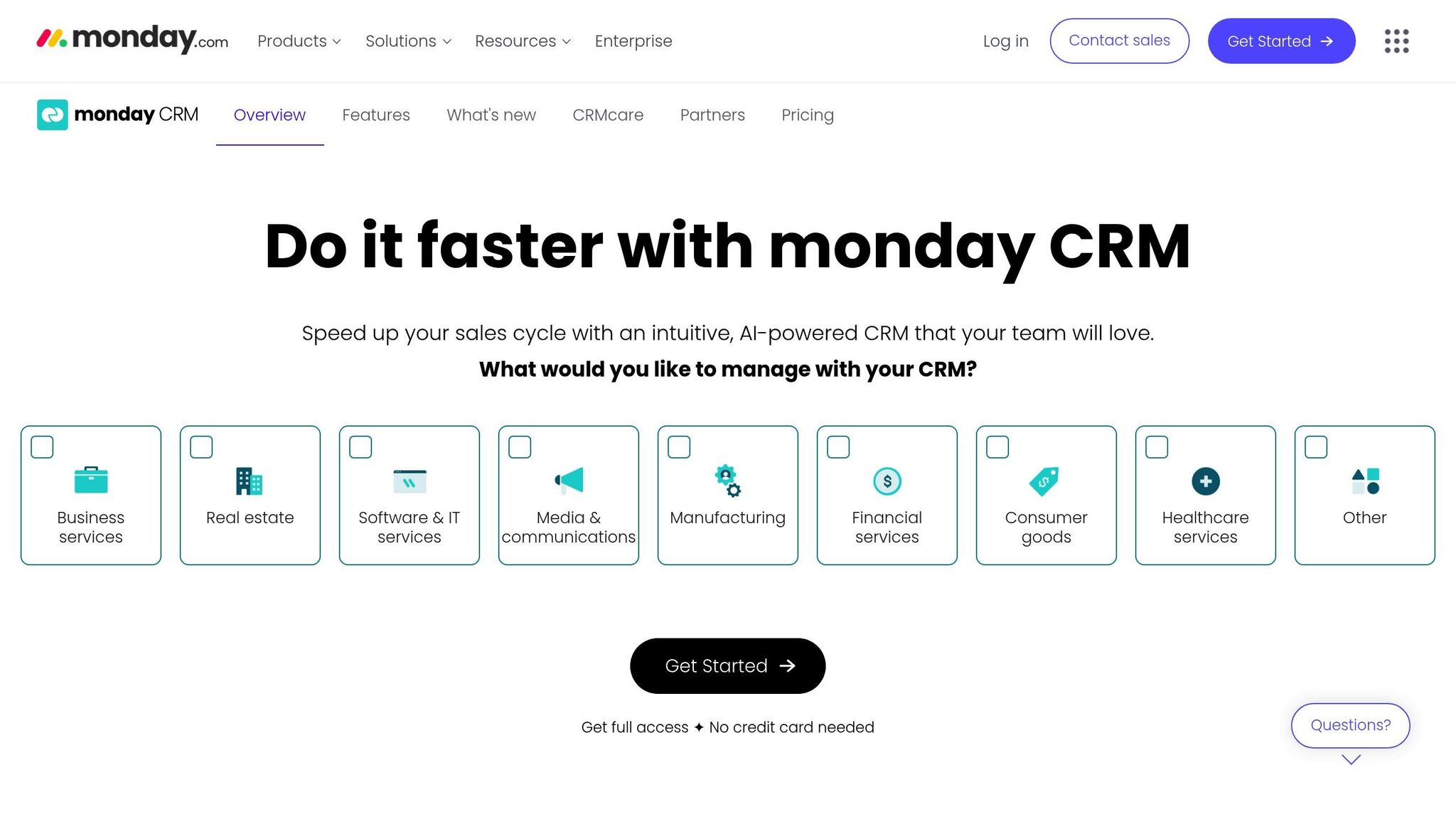
Monday.com CRM stands out as a visually engaging platform tailored to meet the needs of remote teams. It simplifies the collection, sharing, and analysis of customer data, ensuring seamless communication and transparency across departments directly involved with customers[38][39].
Real-time Collaboration Tools
Monday.com CRM is designed to break down communication barriers between departments. Features like Monday Workdocs, customizable dashboards, and centralized client communication hubs make collaboration straightforward[38]. The platform integrates with email and uses visual boards with customizable columns for tracking deals and customer interactions in real time. Team members can leave comments on records, tag colleagues for attention, and receive instant notifications about updates or changes.
AI-powered Automation
The platform leverages AI Blocks to streamline workflows without requiring any coding expertise. These tools can categorize data, detect sentiment, summarize emails, and even translate messages[41]. By automating repetitive tasks like processing inquiries, updating records, and assigning responsibilities, Monday.com saves users significant time and effort[42].
In 2024, the platform reported that its automation features helped users save 6,970 hours per month, eliminating 28,000 manual actions monthly[41]. Its AI tools also assist teams in managing deadlines, prioritizing resources, and handling repetitive tasks more efficiently[44].
"It’s customizable to your needs. It’s like water. It’ll take its shape and wrap around whatever you need it to do." – Chris Funk, Senior Director of Product Innovation, Zippo[41]
For instance, a global software provider uses Monday.com’s AI assistant to streamline support ticket management. Urgent or negative messages are flagged and routed to senior agents, while standard queries are handled by chatbots or level-one support. This setup reduces response times and ensures critical issues are addressed promptly[43].
Integration Capabilities
Monday.com CRM connects seamlessly with over 200 tools, offering a unified view of customer interactions across platforms. Popular integrations include Slack, Gmail, Microsoft Teams, Google Drive, Dropbox, and HubSpot[45][46]. These integrations simplify workflows by automating tasks like scheduling notifications, sending emails, and syncing meetings.
For example, the Microsoft Teams integration allows users to access CRM data without leaving the Teams app, while Outlook integration ensures tasks from emails are tracked and completed on time[45][47].
| Integration Category | Key Tools |
|---|---|
| Communication | Slack, Gmail, Microsoft Teams |
| File Storage | Google Drive, Dropbox |
| Forms & Surveys | Typeform, Google Forms, Jotform |
| Marketing | Mailchimp, ActiveCampaign |
| E-commerce | WooCommerce |
| Payments | Stripe |
Pricing
Monday.com CRM offers flexible pricing plans. The Basic plan starts at $9/user/month, the Standard at $12/user/month, and the Pro at $19/user/month (billed annually, with a minimum of three users). CRM-specific plans begin at $12/seat/month[40][13]. Its effectiveness is highlighted by success stories like Motorola, which achieved a 346% ROI according to Forrester’s Total Economic Impact™ research[41].
6. Pipedrive
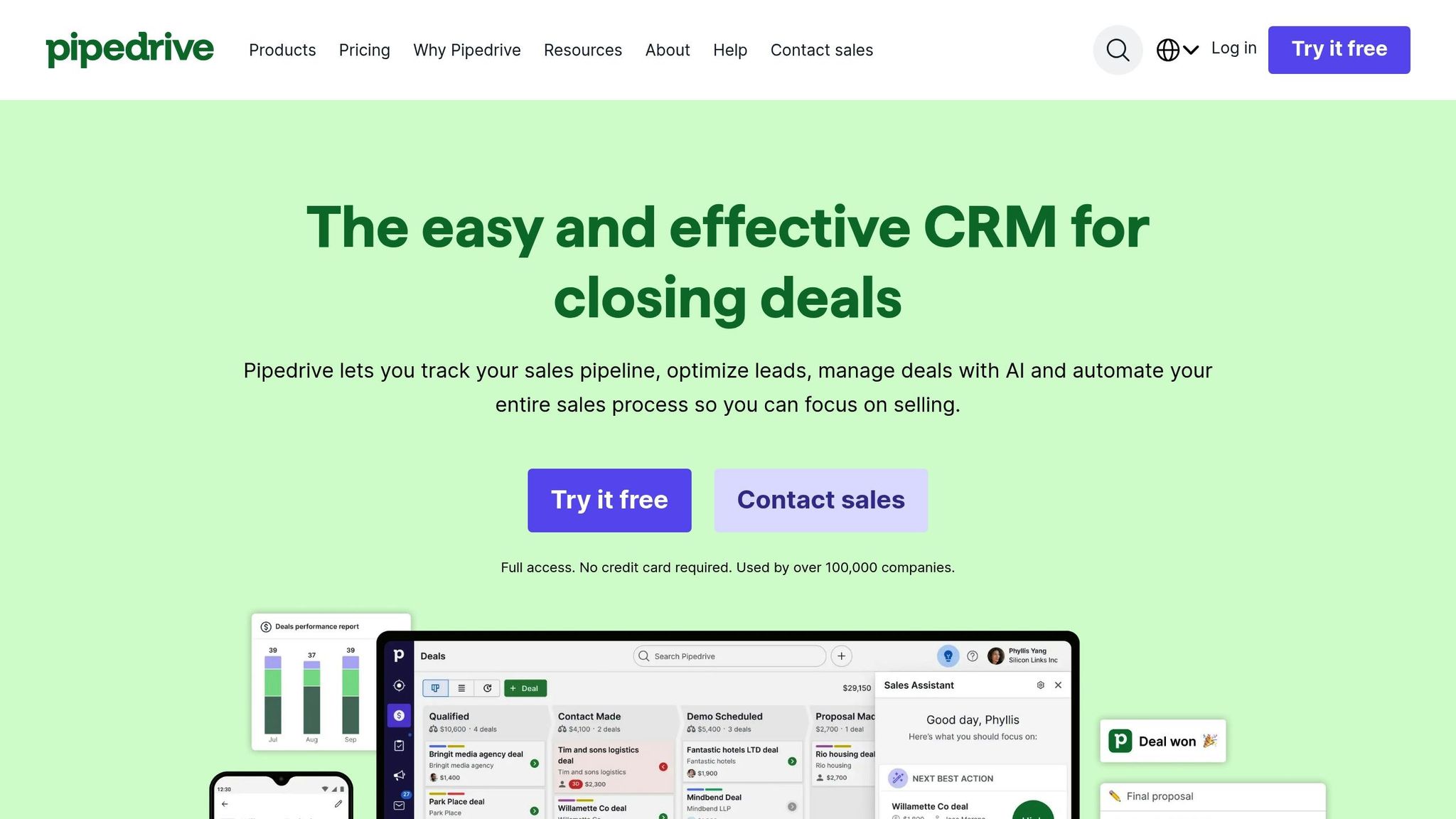
Pipedrive stands out as a CRM solution tailored for remote and hybrid sales teams, focusing on simplicity while delivering tools that enhance collaboration, automation, and mobile productivity. It’s designed to help distributed teams stay aligned and efficient, making it a valuable resource for businesses navigating remote work challenges.
Real-time Collaboration Tools
Pipedrive makes teamwork easier by breaking down barriers between remote team members. Managers can organize sales teams, share dashboards, and generate reports that keep everyone on the same page. Integration with tools like Microsoft Teams allows users to send updates and schedule video meetings directly within the platform. By centralizing workflow management with other popular collaboration tools, Pipedrive ensures smoother operations.
A great example of its impact is 360 Payments. By utilizing Pipedrive’s activity calendar, reporting tools, and real-time dashboards, the company streamlined workloads and avoided missed tasks. CEO Lisa Coyle’s efforts to align her sales team led to a staggering 298% increase in sales over two years [48].
"As a salesperson, my favorite part is the simplicity of putting the data in and using the activity views to structure days and weeks; we all feel we can truly end our day not worrying that we have dropped any balls." – 360 Payments [48]
AI-powered Automation
Pipedrive leverages AI to make sales processes smarter and more efficient. Its AI Sales Assistant predicts deal outcomes, suggests next steps, and even crafts sales emails, follow-ups, and proposals using OpenAI technology. The assistant also provides email summaries, engages leads through conversation bots, and recommends third-party tools to streamline workflows [50]. These features save time and help sales teams focus on what matters most – closing deals.
Mobile Accessibility
With its mobile app, Pipedrive ensures teams can stay productive no matter where they are. The app offers full CRM functionality, a visual pipeline for tracking deals, and real-time notifications to keep users updated on leads and tasks. Whether working on a desktop, smartphone, or wearable device, the seamless transition between platforms makes it easy to stay connected. This is particularly important as more organizations shift toward remote work – 74% of companies plan to make remote work a permanent option [51].
Integration Capabilities
Pipedrive’s ability to integrate with various tools enhances its functionality further. For example, Big Dog Solar utilized Pipedrive’s Professional plan to streamline sales and marketing operations, resulting in a 40% revenue increase [49].
"Pipedrive has been the keystone. It’s enabled us to keep track of everything from visibility and management, but also add the reps and keep track of their prospects a little better." – Big Dog Solar [49]
Additionally, Pipedrive’s permission settings ensure data security by controlling access, providing peace of mind for businesses handling sensitive information.
7. Freshsales (Freshworks CRM)
Freshsales, part of the Freshworks suite, is a CRM platform tailored for remote and hybrid teams. With a strong user sentiment score of 90% from 1,606 reviews and a 4.4 out of 5-star rating on Gartner Peer Insights, it has established itself as a reliable choice for businesses navigating modern work environments [53][54]. Its tools are designed to make communication and collaboration effortless, especially for distributed teams.
Real-time Collaboration Tools
Freshsales stands out by simplifying communication for remote teams through features like contextual collaboration. Its integration with Slack allows team members to discuss deals and prospects without jumping between platforms [52]. This ensures that everyone stays informed and conversations happen in real time.
The Team Inbox feature acts as a centralized hub for client communication. Sales representatives can easily identify unanswered inquiries, while managers can assign conversations to the right team members [55]. This streamlined approach helps prevent missed opportunities and optimizes resource management across remote teams.
Another key feature is the ability to share customer data effortlessly. Teams can create custom lead scoring rules to prioritize high-potential leads, making the qualification process more efficient for distributed sales teams [54][55].
"Freshsales is incredibly user-friendly, making it easy for sales teams to adopt and start using it quickly. It also integrates with other business apps, such as email marketing tools, calendar apps and CRM systems." – Sampath S, Senior Lead Generation Specialist at Alore and Freshsales user [54]
AI-powered Automation
Freshsales incorporates Freddy AI, an assistant designed to automate repetitive tasks and provide actionable insights. Freddy AI includes features like lead scoring, automated sales sequences, and activity timelines, enabling sales teams to work smarter, no matter where they are.
The impact of Freddy AI is evident in real-world applications. Hobbycraft, a U.K.-based arts and crafts retailer, used Freshworks’ omnichannel solution with Freddy AI to automate 30% of repetitive inquiries, such as delivery status and stock availability. This led to a 25% boost in customer satisfaction and an 82% first-contact resolution rate [57].
"We were lucky to be part of the beta trial for Freddy AI. It was fantastic to have that opportunity and to see the power of what it can do. It was truly a game-changer for the team." – Simon Birch, Customer Service Manager, Hobbycraft [57]
Freddy AI doesn’t stop at basic automation. In some cases, its AI agents can resolve up to 50% of inquiries, significantly reducing the burden on human team members [58].
Integration Capabilities
Freshsales enhances its collaboration and AI features with robust integration options. It works seamlessly with tools like Microsoft Teams, Zapier, and others, allowing teams to automate workflows and receive real-time notifications [59]. This is especially useful for remote teams that depend on video conferencing and instant messaging.
For those needing more advanced automation, creating workflows is quick and simple. Setting up a Zap, for instance, takes less than six minutes on average, and with over 25 million Zaps already created, the customization options are extensive [60][61].
Additionally, Integrately provides one-click integrations, offering an affordable alternative to other platforms [63]. Freshsales also connects with other Freshworks products like Freshdesk and supports communication channels such as WhatsApp, Instagram, and Facebook Messenger [62].
Freshsales combines ease of use with powerful features, offering flexible pricing models to suit various business needs: Growth at $9 per user per month, Pro at $39 per user per month, and Enterprise at $59 per user per month (all billed annually) [53][56].
CRM Comparison Table
As mentioned earlier, features like real-time collaboration, advanced AI tools, and mobile accessibility are essential for remote teams. When choosing a CRM, it’s important to weigh factors such as collaboration capabilities, AI integration, mobile functionality, available integrations, and pricing.
| CRM Platform | Collaboration Features | AI Integration | Mobile Accessibility | Integration Options | Pricing (USD/user/month) | Best For Remote Teams |
|---|---|---|---|---|---|---|
| CRM Experts Online | Custom workflows, real-time dashboards, shared project tools | Advanced AI automation, predictive analytics, custom AI | Fully optimized mobile app, offline sync | Unlimited integrations, API development | $250-$4,500/month (team-based) | Pros: Tailored solutions, dedicated support, unlimited training Cons: High cost, long contracts |
| Salesforce CRM | Chatter collaboration, shared calendars, team forecasting | Einstein GPT AI, predictive analytics, call summaries | Comprehensive app, offline access | 3,000+ integrations via AppExchange | $25-$300/user/month | Pros: Extensive customization, vast integrations Cons: Complex setup, steep learning curve |
| HubSpot CRM | Team email templates, shared contacts, collaborative deals | Breeze Copilot AI assistant, automated record creation | Intuitive app, real-time notifications | 1,000+ native integrations, Zapier | Free-$4,300/month (team-based) | Pros: Free plan, easy to use Cons: Limited customization at lower tiers |
| Zoho CRM | Blueprint workflows, shared dashboards, collaboration tools | Zia AI assistant, lead scoring, anomaly detection | Mobile app with offline functionality | Strong Zoho Suite integration, 300+ apps | $14-$40/user/month | Pros: Great value, rich features Cons: Steep learning curve, complex interface |
| Monday.com CRM | Visual boards, team communication, file sharing | Basic automation, limited AI | Optimized app, real-time updates | 200+ integrations, workflow automation | $15-$33/user/month | Pros: Visual workflows, ideal for startups Cons: Lacks advanced CRM capabilities |
| Pipedrive | Shared pipeline views, activity reminders, performance insights | AI deal predictions, email summaries, basic automation | Clean mobile app, pipeline management | 350+ integrations, API access | $19-$74/user/month | Pros: Easy to use, pipeline-focused Cons: Limited collaboration tools, basic AI features |
| Freshsales | Team inbox, Slack integration, contextual collaboration | Freddy AI, lead scoring, intelligent insights | Full-featured app, offline sync | 1,000+ integrations, Freshworks tools | $9-$59/user/month | Pros: Strong AI tools, affordable pricing Cons: Less customization for enterprise needs |
The table above provides a concise breakdown of each CRM platform’s features, pricing, and suitability for remote teams. Here’s a closer look at their standout qualities and potential trade-offs.
Salesforce is a powerhouse when it comes to customization and integrations, making it a top choice for large enterprises. However, its pricing ($25–$300 per user monthly) and complexity can be barriers for smaller remote teams.
HubSpot shines with its free tier and user-friendly interface. Its Breeze Copilot AI assistant has proven to boost productivity, but teams needing extensive customization may find limitations in its lower-priced plans.
Zoho CRM delivers excellent value, offering advanced features like Zia AI’s data cleaning and anomaly detection at a more affordable range ($14–$40 per user monthly). It’s a strong option for teams seeking robust functionality without breaking the budget.
Freshsales stands out with its Freddy AI, which provides advanced automation and insights at competitive pricing ($9–$59 per user monthly). This makes it particularly appealing for remote customer service teams handling high volumes of interactions.
CRM Experts Online caters to organizations with unique needs, offering custom-built solutions and dedicated support. While the cost is higher ($250–$4,500 monthly), it includes unlimited training and specialized AI development, ideal for teams requiring tailored tools.
HubSpot and Pipedrive are often highlighted for their mobile-friendly designs, a vital feature considering that 74% of teams rely on instant messaging and video calls to keep projects on track [64].
With over 90% of businesses expected to adopt AI-driven CRM solutions by the end of the year [65], platforms like Salesforce’s Einstein GPT and Freshsales’ Freddy AI are well-positioned to support remote teams in staying competitive.
Conclusion
After exploring seven cloud CRM options, it’s clear that each has unique advantages for remote teams. When choosing the right CRM for your remote or hybrid setup, focus on three key aspects: collaboration tools, AI capabilities, and mobile accessibility [1]. With 91% of businesses with 10 or more employees using CRM systems and 72% noting that remote CRM access has significantly improved customer interactions, selecting the right tool is essential [1].
Start by defining your priorities. For instance, if visual task management is critical, Monday.com’s board-style interface could be a great fit. On the other hand, if lead conversion through AI is a top priority, CRM Experts Online might be the better choice [1][66]. Research shows that businesses leveraging AI in their CRM systems often see a 50% boost in lead conversion rates [1]. Once you’ve identified your must-have features, compare costs and test different platforms.
Budget considerations are also important. Small businesses can save between 15–30% with options like HubSpot’s free tier, while larger enterprises may find value in higher-cost solutions offering advanced customization [1][66]. Regardless of your choice, always trial the software to ensure it aligns with your needs. A user-friendly interface and intuitive navigation should be non-negotiable [66].
As CRM technology continues to evolve – AI is expected to improve efficiency by 40% by 2027 [1] – look for providers that offer strong customer support, regular updates, and robust security features [66]. Beyond features, consider the overall value in terms of scalability, support, and innovation [66].
Ultimately, the best CRM for your remote team is one that integrates effortlessly into your workflows, adapts to your growth, and helps your team deliver outstanding customer experiences remotely. Don’t forget to check user reviews to confirm your decision [66].
FAQs
What should I consider when selecting the best cloud CRM for my remote team?
When picking a cloud CRM for your remote team, it’s smart to focus on features that boost collaboration and productivity in a remote work setting. Prioritize tools that offer real-time access across devices, smooth integration with communication tools, and mobile-friendly designs. These features help your team stay connected and work efficiently, no matter where they are.
You’ll also want to evaluate the CRM’s scalability, user-friendliness, and security measures. A solution that can grow with your team ensures you’re ready for expansion, while strong security safeguards your data. Features like automation and AI tools can simplify workflows and make it easier for your team to adapt to the system. By focusing on these essentials, you’ll find a CRM that meets your team’s needs and helps them thrive.
What AI features should I prioritize in a CRM to boost my remote team’s productivity?
To get the most out of remote teams, it’s smart to leverage AI tools that simplify processes and offer meaningful insights. Here are some standout features to consider:
- Predictive analytics: Helps anticipate sales trends and understand customer behavior, giving your team a competitive edge.
- Task automation: Handles repetitive jobs like data entry, email follow-ups, and assigning tasks, freeing up time for more strategic work.
- AI-driven lead scoring: Identifies and prioritizes the most promising opportunities, so your team can focus their efforts where it matters most.
- Natural language processing (NLP): Powers tools like AI chatbots and email suggestions, making communication smoother and more efficient.
- Real-time insights: Allows you to monitor performance and make quick, informed decisions based on the latest data.
By cutting down on busywork and providing actionable insights, these tools let your team dedicate more energy to strengthening customer relationships and achieving better outcomes.
Why is mobile accessibility important for remote teams using CRM systems, and how does it boost productivity?
Mobile accessibility plays a key role for remote teams, providing instant access to important customer and business data from virtually anywhere. This means team members can respond promptly, make smarter decisions, and provide top-notch customer service, no matter where they are.
It also boosts productivity by keeping remote workers connected and enabling them to automate routine tasks or collaborate effortlessly using their mobile devices. These capabilities not only simplify workflows but also speed up deal closures and strengthen customer relationships – critical elements for teams working remotely or in hybrid setups.
Related Blog Posts
- 7 Essential AI Features Every Modern CRM Must Have
- Top 8 CRM Automation Tools for Marketing Teams
- How AI Improves CRM Workflow Efficiency
- Ultimate Guide To Cloud CRM Cost Optimization

CRM & ERP Enterprise Technology Expert and Entrepreneurial Executive with 20+ years of leading CRM, ERP, Customer Experience, and Block-chain initiatives and projects across internal and customer facing technologies. Proven success in closing large deals in Pre Sales customer facing engagements and deploying enterprise wide CRM & Customer Experience solutions internationally and domestically.