Best Practices for Supporting Faculty & Staff Post-Go-Live: Salesforce in Higher Education
After launching Salesforce at a major university, we quickly realized that go-live is just the beginning. Supporting faculty and staff across departments—each with unique roles, workflows, and expectations—required more than onboarding guides and help desk tickets. It called for empathy, structure, and continuous iteration.
In this post, we share the real-world strategies that helped us support our higher education community long after implementation. Whether you’re preparing for your own Salesforce rollout or navigating the post-launch phase, these best practices will help ensure lasting success.

???? 1. Create Multi-Channel Feedback Loops
Why It Matters: Not all departments engage the same way.
PCS (Professional & Continuing Studies) preferred real-time Slack support, while GSAS users leaned on formal ticket submissions.
Tactics We Used:
| Feedback Channel | User Preference |
|---|---|
| Slack Threads | PCS Advisors |
| Salesforce Case Queues | Admins and Developers |
| Email Tickets | Faculty & Admin Support |
| Chatter Groups | GSAS Teams |
Aligning support with natural communication styles boosted reporting and resolution.
???? 2. Track Fixes Transparently
Why It Matters: Siloed updates = duplicate work and lost trust.
We used a live Google Sheet to track:
-
Issue reports and resolutions
-
Status and ownership
-
Related page layouts and record types
???? Embed this doc into Chatter or your intranet. It creates transparency and prevents confusion.
???? 3. Offer Targeted Training Modules
Why It Matters: Generic training ≠ effective in higher ed.
We delivered customized sessions by group:
| Group | Focus Area |
|---|---|
| PCS Advisors | Navigating Dashboards |
| GSAS Staff | Creating & Managing Alerts |
| Faculty | Chatter Usage, Access Limits |
???? Each session was recorded + paired with job aids and quick guides for scalable training.
???? 4. Empathize With Resistance
Why It Matters: Faculty often resist new tools.
Rather than force adoption, we:
-
Simplified layouts
-
Created custom homepage views for faculty
-
Added faculty-only task shortcuts
These small UX improvements led to noticeable engagement gains.
???? 5. Document As You Go
Why It Matters: Every resolved ticket is a future training moment.
We created:
-
Updated SOPs and help docs
-
Embedded links in the user dashboard
-
A shared internal knowledge base
???? This “living documentation” reduced repeated support and accelerated onboarding.
???? Onboarding New Staff Efficiently
Why It Matters: Universities often onboard new advisors mid-semester, creating potential disruptions.
Solution in Action: When three new PCS advisors joined post-launch, we gave them:
- A tailored “Advisor 101” dashboard
- A 20-minute walkthrough video
- A “Top 10 Things You Should Know” job aid
Result: All three logged notes, used alerts, and created student follow-ups by week two. Early access to training assets made the transition smoother.
???? See the Phase 1 blog here: Salesforce Implementation at University – 5 Key Takeaways
❌ Common Post-Go-Live Mistakes (and How to Avoid Them)
Lessons Learned the Hard Way:
| Mistake | What Happened | Fix |
| Overloading Dashboards | Faculty ignored critical items | Removed widgets, simplified layout |
| Forgetting to Retire Test Profiles | Caused access confusion | Monthly user audit |
| Assuming Everyone Uses Chatter | Advisors missed update threads | Enabled email notifications |
Avoiding these pitfalls helped us tighten communication and reduce admin overhead.
???? KPIs to Track Post-Launch Success
Monitoring the impact of your post-go-live efforts is critical.
| KPI | Target Benchmark |
| Advisor CRM Adoption Rate | 90% usage by week 6 |
| Average Ticket Resolution Time | Under 48 hours |
| Faculty Satisfaction (Survey) | 85% or higher |
| Training Video Completion Rates | 70%+ within first 30 days |
These numbers gave us the visibility to refine training and report value to leadership.
???? Case Study Spotlight: Unity Environmental University
Unity Environmental University used Salesforce Education Cloud to:
✅ Align staff around shared student success goals
???? Enable real-time alerts and advisor collaboration
???? Streamline workflows with smart automation
Their success shows what’s possible with thoughtful post-launch support.
???? Also see Salesforce Education Cloud
???? Real-World Inspiration: Salesforce in Higher Education
Salesforce isn’t just a back-end system — it’s transforming how universities support students, advisors, and faculty alike. Seeing that transformation in action can reinforce the strategies we’ve covered in this post.
That’s why we recommend watching this short but powerful video from Salesforce:
In just two minutes, it shows how institutions are using Salesforce to:
- Personalize the student journey
- Empower advisors with real-time tools
- Create faculty dashboards tailored to academic needs
- Drive better outcomes across departments
If you’re still in the early phases of your Salesforce journey, this video is a great motivator for what’s possible.
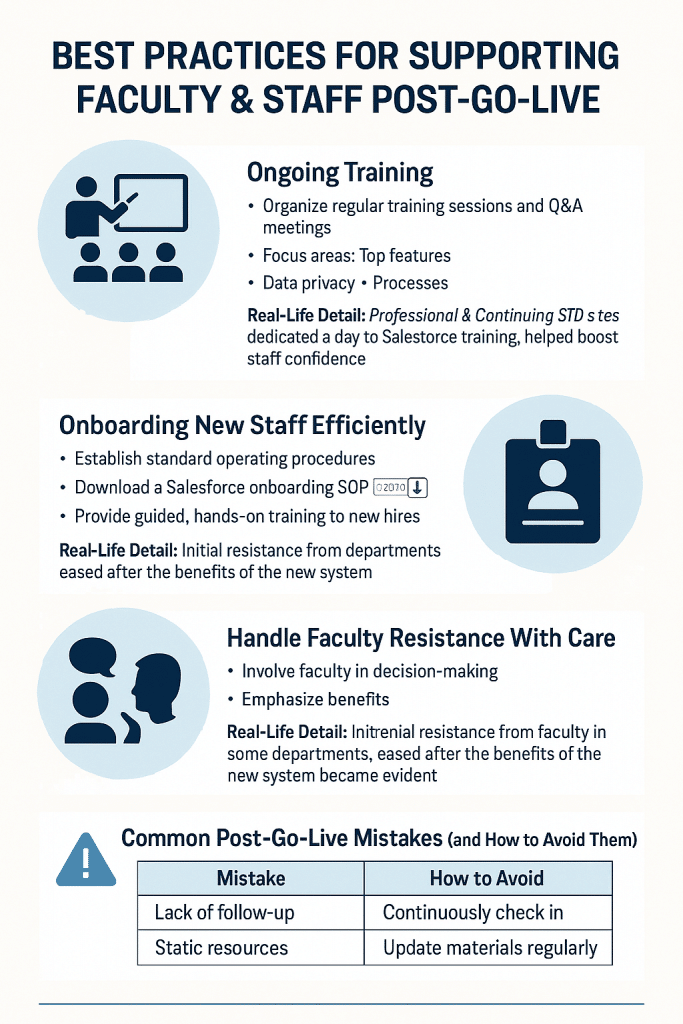
✨ Bottom Line: Post-Go-Live Support Is Its Own Product
Treat post-go-live like a new launch. Faculty and staff need scalable support, tailored training, and empathy. The steps outlined here helped ensure that Salesforce didn’t just launch successfully — it thrived long after.
Up Next: In our next blog, we dive into the five custom Salesforce configurations that made the biggest impact in advising and administrative workflows.
Have a question about faculty support post-CRM launch? Share it in the comments or reach out to our team directly.
???? Related Posts