AI is transforming how businesses handle customer issues. By automating repetitive tasks, predicting problems, and providing real-time insights, companies are resolving issues faster and improving customer satisfaction. Businesses using AI report up to 45% higher agent productivity, 37–74% shorter response times, and 87% faster resolutions. Tools like Salesforce Einstein and Zendesk streamline workflows, while sentiment analysis and predictive analytics help prevent churn and enhance customer experiences.
Key takeaways:
- Proactive problem-solving: AI predicts issues before they escalate.
- Automation: Tasks like data entry, ticket sorting, and follow-ups are handled by AI.
- Real-time insights: Sentiment analysis and customer data provide actionable guidance.
For small businesses, platforms like HubSpot AI offer affordable, easy-to-use solutions. Larger enterprises benefit from tools like Salesforce Einstein, which integrates with existing systems for advanced capabilities. Choosing the right tool depends on factors like business size, integration needs, and ROI expectations.
AI is reshaping CRM by combining automation with human expertise, enabling faster, more personalized customer support.
How to Use AI to Resolve Transaction Inquiries Quickly | Salesforce Explained
Core Features of AI Tools for CRM Issue Resolution
AI-powered CRM tools bring together three key capabilities that make resolving customer issues faster and more effective. These tools excel at identifying problems early, automating repetitive tasks, and providing actionable insights into customer behavior. Together, these features help businesses stay ahead of issues, streamline operations, and better meet customer expectations.
Monitoring and Issue Prediction
AI systems continuously scan CRM data to uncover potential problems before they impact customers. Instead of waiting for complaints to arise, these tools analyze behavioral patterns and detect anomalies that could signal trouble ahead.
For example, platforms like Salesforce Einstein and Zoho’s Zia use AI to examine conversations and predict outcomes, allowing teams to act before situations escalate. These tools can identify at-risk deals, pinpoint sales bottlenecks, and forecast opportunity closings[2]. In industries like financial services, AI-driven customer segmentation can flag potential compliance or service risks early on[2].
This proactive approach minimizes disruptions and helps maintain customer satisfaction. By addressing early warning signs – such as decreased engagement, unusual support ticket trends, or shifts in product usage – businesses can resolve issues before they grow into larger problems.
Once potential issues are flagged, AI tools take it a step further by automating routine tasks, freeing up time for teams to focus on more complex challenges.
Automation of Repetitive Tasks
AI takes over the tedious, time-consuming tasks that often bog down customer service teams. This includes everything from data entry and appointment scheduling to follow-up reminders, ticket sorting, and lead assignment[3]. AI systems even handle more advanced tasks, like updating CRM records, creating detailed notes, generating summaries, and scheduling follow-ups – all without human input[2].
For instance, Harmonix AI automates record updates and generates detailed interaction summaries automatically[2]. Communication summarization tools extract key insights from call logs, emails, and meetings, keeping teams informed without requiring manual review[5]. AI also gathers lead data from multiple sources, ensuring accurate and current information without extra effort[5].
By automating these processes, teams can shift their focus to building stronger customer relationships and tackling complex issues that require human insight. Instead of spending hours on administrative tasks, agents can dedicate their time to providing personalized support and solving problems that demand empathy and creativity.
But automation is just one piece of the puzzle. AI also offers real-time insights that help businesses fine-tune their support strategies.
Real-Time Customer Insights and Sentiment Analysis
AI tools analyze customer interactions to understand sentiment and extract insights that guide better decision-making[3]. These systems work across multiple channels – calls, emails, WhatsApp, and even LinkedIn – to gauge how customers feel and identify opportunities to improve[2]. Sentiment analysis allows teams to address concerns quickly while leveraging positive feedback to strengthen relationships[3].
For example, AI can offer real-time product recommendations based on browsing behavior or send personalized messages to recover abandoned carts[2]. It also provides a complete view of the customer, consolidating interaction data to help agents understand the full context – past purchases, support history, preferences, and current sentiment – all in one place[4].
The results speak for themselves: response times improve by 37–74% within the first year, and some companies report up to an 87% reduction in average resolution times[4]. With real-time insights, teams can deliver faster resolutions and higher customer satisfaction.
Instead of guessing what a customer needs or digging through past records, agents have everything they need at their fingertips. This instant access to information transforms how support teams operate, enabling them to provide quicker, more personalized service.
Top AI Tools for CRM Issue Resolution
These AI tools are redefining how businesses tackle CRM challenges. From enterprise-level solutions with extensive integrations to user-friendly platforms tailored for smaller teams, each tool offers distinct advantages. Below, we dive into how these leading tools address CRM issues with specialized features and adaptable deployment options.
CRM Experts Online: Tailored AI-Powered CRM Solutions
CRM Experts Online specializes in creating custom AI-powered CRM systems designed to meet your specific needs. Instead of pushing you into a rigid, pre-designed framework, they build solutions around your unique requirements.
Their services cover every stage of the CRM lifecycle: from the initial system analysis and design to development, implementation, support, and training. This comprehensive approach ensures that AI seamlessly integrates into your operations, solving complex challenges that off-the-shelf platforms might miss.
What makes their offering stand out is the flexibility to design exactly what you need – without the burden of ongoing licensing fees. Their agile development model means you pay only for the features that matter to your business. CRM Experts Online offers three support tiers:
- Comprehensive Support: $4,500/month (12-month minimum) with unlimited live training and a dedicated team.
- Managed Support: $1,300/month (6-month minimum) with shared project management.
- Self-Guided: $250/month (3-month minimum) for teams seeking basic support and access to a knowledge base.
While CRM Experts Online focuses on tailored solutions, other platforms shine in areas like unified support, enterprise-level integration, and small-business accessibility.
Crisp: Streamlined Omnichannel Support
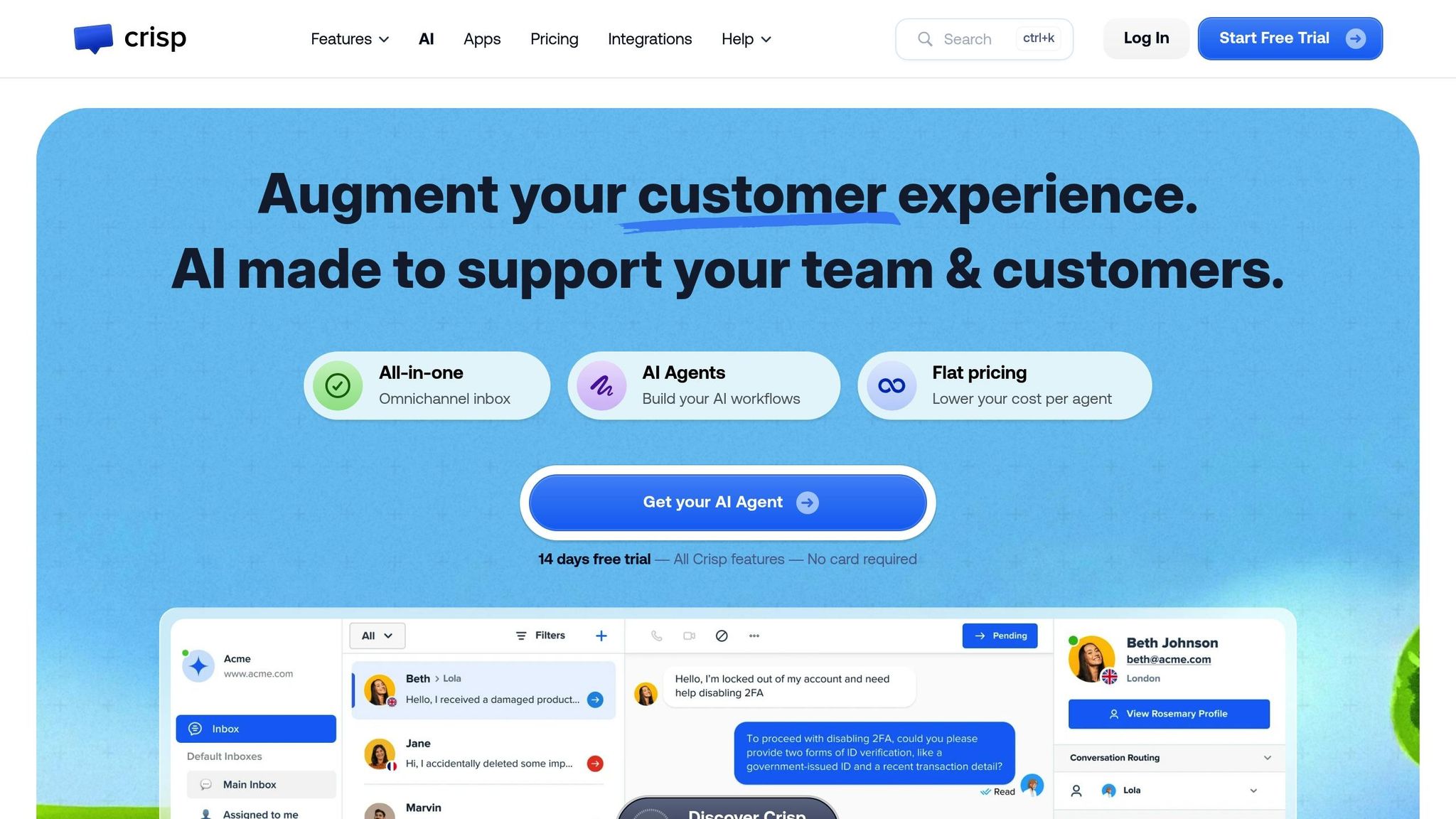
Crisp simplifies customer communication by consolidating conversations from various channels – email, chat, social media, and messaging – into one unified inbox. This eliminates the need to juggle multiple platforms and ensures a smooth workflow for support teams.
Powered by AI, Crisp’s chatbots handle routine inquiries automatically, while smart routing ensures that complex issues are directed to the right human agents based on their expertise and availability. This setup ensures consistent handling of customer inquiries, with complete conversation histories accessible in one place.
Zendesk: AI-Driven Enterprise Solutions
Zendesk has established itself as a leader in AI for customer service, offering over 1,800 third-party integrations[4]. Its Answer Bot efficiently manages routine questions, while AI-powered workforce management optimizes agent scheduling to handle ticket volumes and complex cases.
The platform also provides advanced reporting, compliance tracking, and extensive customization options, making it ideal for large enterprises. Though implementing Zendesk at scale may require dedicated resources, its adaptability ensures it can grow alongside your organization’s needs.
Salesforce Service Cloud Einstein: Smart AI Integration
For businesses already using Salesforce, Service Cloud Einstein offers seamless AI integration. Einstein leverages customer data – such as history, behavior patterns, and past interactions – to provide predictive routing and surface solutions proactively[4].
This predictive routing assigns tickets to the agents best equipped to resolve them quickly. By unifying sales, marketing, and support data, Einstein creates a comprehensive customer view, enhancing service for organizations heavily invested in Salesforce.
Freshsales: AI Accessibility for Small Businesses
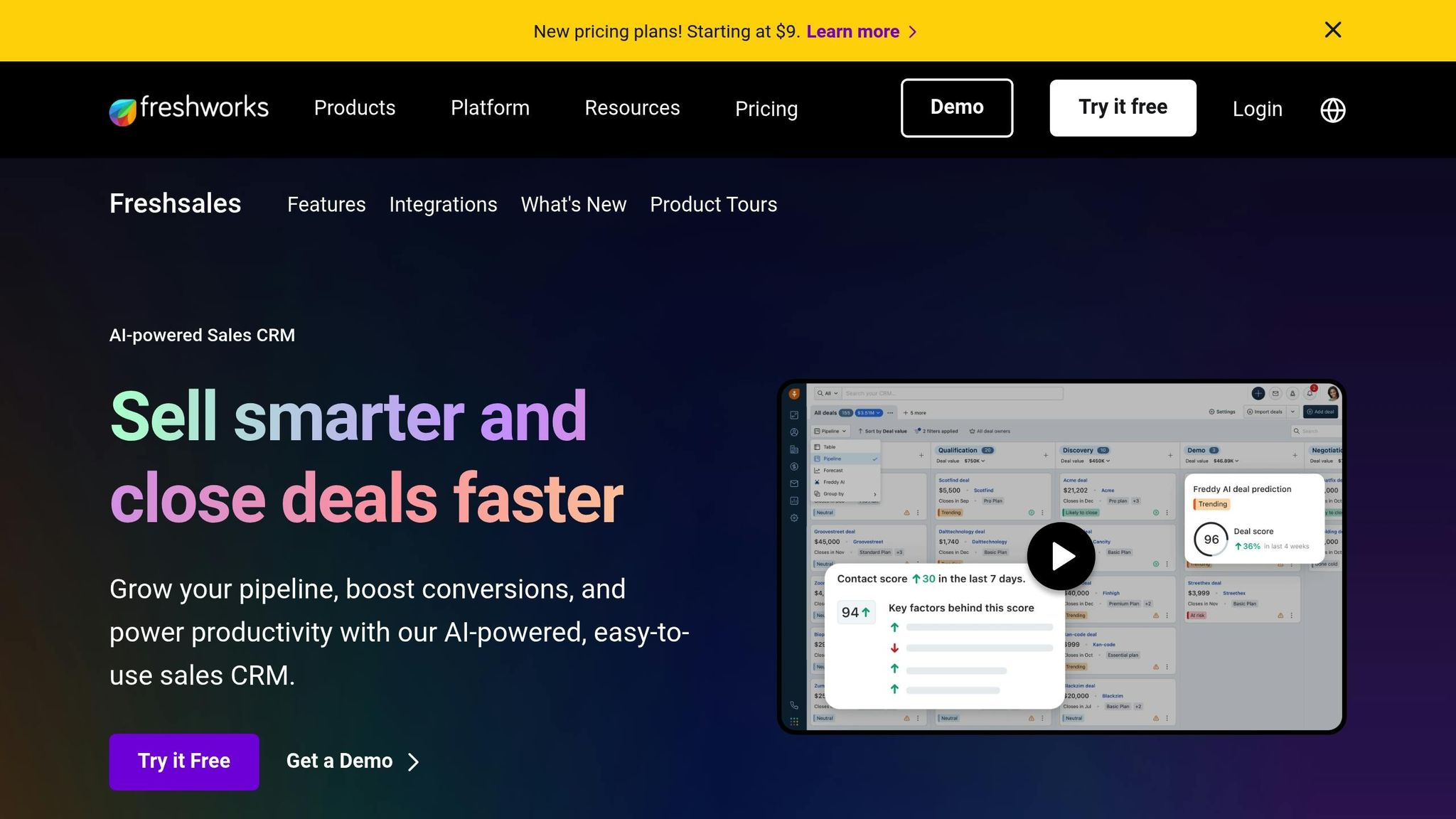
Freshsales, equipped with Freddy AI, brings advanced AI capabilities to small businesses. Freddy helps predict deal closings, prioritize leads, and automate follow-ups[2]. Its intuitive design and budget-friendly pricing make it ideal for teams with limited IT resources.
Freddy AI also provides real-time alerts and actionable suggestions, enabling sales teams to make smarter decisions and close deals more efficiently[2]. With a quick onboarding process, Freshsales allows small businesses to start benefiting from AI-driven automation almost immediately.
sbb-itb-f02ae4e
How to Choose the Right AI CRM Tool
When selecting an AI CRM tool, it’s essential to weigh your business needs, current systems, and future growth plans. Picking the wrong tool can result in wasted time, poor adoption, and integration headaches. On the other hand, the right tool can completely transform how your team handles customer relationships and resolves issues.
Key Factors to Consider When Evaluating AI CRM Tools
Tailor the tool to your business size. Smaller businesses may benefit from simple, budget-friendly tools, while larger organizations often require feature-rich platforms that can scale.
Examine automation features. Determine whether the tool can handle tasks like lead scoring, data entry, appointment scheduling, and follow-up reminders. For instance, AI-powered lead scoring can prioritize prospects based on their likelihood to convert. Gartner reports that companies using AI-driven sales forecasting see an average 15% boost in revenue[6].
Check integration compatibility. Ensure the tool works with your existing systems, such as email, communication platforms, ERPs, and ticketing software. Zendesk, for example, offers over 1,800 integrations, making it a robust option for diverse needs[4].
Simplify implementation for faster results. Tools with strong onboarding resources, clear documentation, and intuitive interfaces can help teams get started quickly. HubSpot AI is known for its ease of use and rapid deployment, making it a popular choice for teams of all sizes[9].
Plan for scalability. As your business grows, your CRM should handle increased data, users, and features. Platforms like Zoho CRM Plus and CRM Creatio are designed to grow alongside your organization[8].
Evaluate ROI. Look for tools that save time, improve forecasting, and boost productivity. For example, Salesforce’s Einstein has helped companies achieve a 25% increase in sales productivity, while SuperAGI clients report a 30% reduction in customer support requests[6].
Consider omnichannel capabilities. Modern customers use multiple channels – phone, email, chat, and social media. A good CRM should track interactions across all touchpoints, ensuring no customer signal is missed[7].
Leverage real-time sentiment analysis. Advanced tools can guide agents during calls, helping them de-escalate situations and adjust their approach. Supervisors can also receive alerts about negative trends, enabling proactive intervention[7].
Focus on data quality. Since AI relies on clean, accurate data, audit your current data before implementing a new CRM. Some platforms even offer tools to clean or manage imperfect data[6].
Understand customization needs. Businesses with unique workflows may require extensive customization, while others might thrive with pre-built solutions. Providers like CRM Experts Online specialize in creating tailored systems that align with specific business requirements[1].
Account for all costs. Beyond the initial price, consider expenses for licensing, integration, training, and customization. A tool with a higher upfront cost might save money in the long run through reduced maintenance and better functionality[8].
Comparing Top AI CRM Tools
Here’s a snapshot of some leading AI CRM solutions, outlining their strengths and pricing:
| Tool | Best For | Key Strength | Starting Price | Notable Rating |
|---|---|---|---|---|
| CRM Experts Online | Custom requirements | Tailored solutions with full support | $250/month | Custom-built flexibility |
| HubSpot AI | Small to mid-sized businesses | User-friendly, free tier available | Free | Rapid deployment |
| Zoho CRM Plus | Cost-conscious mid-sized teams | Comprehensive features at a low cost | $15/user/month | Strong value |
| Salesflare | Small B2B teams | Automated data entry | $29/month | 4.7/5 on G2[8] |
| Attio | Startups, agile teams | Customizable workflows | $29/month | 4.8/5 on G2[8] |
| Zendesk | Large enterprises | Extensive integrations (1,800+) | Custom | Most mature ecosystem[4] |
| Salesforce Einstein | Salesforce users | Advanced CRM integration and predictive routing | Custom | 25% productivity boost[6] |
| Freshsales | Small businesses | Freddy AI accessibility | Custom | Quick onboarding |
Small businesses and startups should focus on affordability and ease of use. HubSpot AI’s free tier is a great place to start, while tools like Salesflare and Attio offer streamlined workflows with minimal costs.
Mid-sized businesses need a balance between cost and scalability. Zoho CRM Plus provides omnichannel engagement at a competitive rate, making it ideal for growing teams.
Enterprises require advanced features and deep integrations. Salesforce Einstein and Microsoft Dynamics 365 excel in handling complex workflows and providing predictive capabilities. These platforms also offer enhanced security and support for multi-department operations[4][8][9].
Additional Considerations
- Leverage existing tech investments. If your business already uses Microsoft tools, Dynamics 365 may be the best fit. Similarly, Salesforce users might find Einstein to be a seamless addition[9].
- Monitor innovation trends. Gartner predicts that by 2029, AI will autonomously resolve 80% of common customer service issues without human involvement[4]. Choose a vendor that’s actively innovating to stay ahead of these trends[9].
- Test integrations before committing. Ensure the CRM connects with your existing systems without requiring extensive development. Trial periods or proof-of-concept implementations can help identify potential issues early.
- Prioritize strong onboarding and support. Piloting the tool in one department can reveal challenges related to integration, data quality, or user adoption before rolling it out company-wide[9][6].
Best Practices for Implementing AI in CRM Systems
Adding AI to your CRM isn’t just about installing new software – it’s about reshaping how your team operates. The success of this transformation often hinges on how well the transition is managed. Companies that dive in without proper planning risk low adoption rates and wasted resources. On the other hand, a structured approach can lead to noticeable productivity boosts and a happier, more efficient team.
Integration with Existing Workflows
The key to success is enhancing your current processes, not scrapping them. Your team already has workflows that function well; AI should make these better, not reinvent the wheel.
- Start with an audit of your CRM workflows. Identify repetitive tasks and bottlenecks – like data entry or lead scoring – that AI can streamline without disrupting customer relationships.
- Roll out AI in phases. Begin with a pilot program in one department. This allows you to troubleshoot early and build a group of internal advocates who can share their success stories with others.
- Choose tools that fit your current systems. Many AI solutions integrate seamlessly with platforms like Salesforce, Dynamics, or SAP, saving you from the headache of a full system overhaul.
- Define clear boundaries between AI and human tasks. AI can handle routine jobs, but more complex decisions should remain with your team. Clearly documenting these "handoff points" ensures everyone knows when to rely on AI and when human judgment is needed.
- Prepare for edge cases. Develop straightforward procedures for situations where AI may fall short, along with escalation paths to ensure human intervention when necessary.
Balancing Automation with Human Interaction
AI shines when it takes care of repetitive tasks, freeing your team to focus on building relationships and solving more complex problems.
- Automate the basics. Use AI for tasks like routing inquiries, entering data, or deploying chatbots for simple queries. However, ensure there’s a smooth handoff to a human agent for more complicated issues – without making customers repeat themselves.
- Leverage sentiment analysis. AI can monitor customer communications and flag signs of frustration, enabling your team to step in before minor issues escalate.
- Set limits for AI. Advanced systems should automatically escalate situations they can’t handle, ensuring customers with complex needs get the human attention they require.
- Be transparent with customers. Let them know when they’re interacting with AI versus a person. This honesty builds trust and sets realistic expectations.
- Track customer satisfaction. Keep an eye on how customers feel about AI-assisted interactions, and address any concerns quickly to maintain a positive experience.
Training Teams for AI Adoption
Once workflows are aligned and automation boundaries are set, your team needs the right training to fully embrace AI’s potential.
- Make training role-specific. Tailor sessions to the unique needs of each team, providing hands-on practice in a risk-free environment where employees can explore features without fear of mistakes. Supplement this with easy-to-follow guides for everyday tasks, like using sentiment scores or prioritizing leads.
- Adopt a train-the-trainer model. Identify early adopters who quickly grasp the technology. These individuals can act as internal champions, helping others get up to speed.
- Address job security concerns. Be upfront about how AI is meant to reduce tedious work, not replace jobs. Emphasize that it allows employees to focus on higher-value tasks.
- Encourage feedback. Create channels for employees to report issues, share suggestions, and exchange tips. This fosters a culture of continuous improvement.
- Provide ongoing support. Beyond initial training, offer resources like a help desk or AI specialists to assist with troubleshooting and advanced features.
- Monitor adoption rates. Regularly check how many team members are using the AI tools effectively and adjust your training approach as needed.
- Ease the transition. During the rollout, some team members may still rely on manual processes while others use AI. Create workflows that accommodate both methods to minimize friction and ensure a smoother transition.
Conclusion
Companies are seeing 17% productivity boosts when AI takes on 60% of conversations, cuts response times by 50%, and saves support teams 30% of their time on repetitive tasks[10]. These are not just small changes – they’re game-changing shifts that can directly affect your bottom line.
The financial advantages are just as striking. Automating tasks like password resets, pricing questions, and invoice requests can eliminate about 70% of repetitive queries from support queues[10]. This allows your team to focus on more complex, high-value issues that require human expertise, turning your support function into a driver of customer loyalty.
AI tools also make a noticeable difference in customer satisfaction. When systems achieve First Contact Resolution rates above 75% and maintain a Mean Time to Resolution of under four hours[10], customers feel the impact. They enjoy faster responses, more personalized interactions, and fewer frustrating transfers between agents. Features like sentiment analysis, predictive analytics, and real-time prioritization ensure that urgent issues get immediate attention while routine inquiries are handled efficiently.
These advancements pave the way for a reimagined CRM experience. The key is selecting the right solution for your needs. Small businesses often benefit from user-friendly platforms that can be implemented quickly – many AI CRM tools now aim for a Time to Value of under 14 days[10]. Larger organizations, on the other hand, require systems that offer deep customization and scalability, seamlessly integrating with existing platforms like Salesforce, Dynamics, or SAP without the need for a full overhaul[2].
For tailored AI-driven CRM solutions, CRM Experts Online offers a comprehensive approach. They centralize customer data and tasks into a single platform, improving team efficiency while delivering personalized customer experiences. Their services include development, implementation, consulting, and ongoing support, ensuring your AI adoption process is smooth and effective.
The real question isn’t whether you should adopt AI to handle CRM challenges – it’s how quickly you can implement it to stay ahead in a market that increasingly values customer-centric solutions.
FAQs
How can AI tools enhance CRM issue resolution for small businesses and larger enterprises?
AI tools make handling CRM issues much easier by taking over repetitive tasks, spotting trends, and offering practical insights. For small businesses, this means less manual work, quicker responses, and happier customers – even when resources are tight. On the other hand, larger companies can use AI to manage massive amounts of customer data and maintain consistent service across different teams.
When businesses adopt AI-driven solutions, they can address CRM challenges more efficiently, resulting in smoother operations and better experiences for their customers.
What should I consider when selecting an AI-powered CRM tool for my business?
When selecting an AI-powered CRM tool, it’s essential to ensure it fits seamlessly with your business objectives. Pay attention to aspects like customization capabilities, integration ease with your current systems, and whether it can scale as your business expands. Features to prioritize include sales and marketing automation, AI-driven insights into customer behavior, and tools designed to streamline operations.
CRM Experts Online provides a full range of services to address these needs. From custom CRM development to effortless implementation and dedicated support, they help businesses across industries achieve a smooth transition and maximize performance.
What steps can businesses take to seamlessly integrate AI into their existing CRM systems?
When bringing AI into your CRM system, the first step is to carefully evaluate your existing setup and identify your business priorities. Collaborating with professionals skilled in AI-powered CRM solutions can make this process much easier. They can manage everything from system design to development and implementation, ensuring it’s aligned with your specific objectives.
Equally important is equipping your team with the right training and providing consistent support. This helps them confidently use the new tools and maximize their potential. By addressing these areas, businesses can boost efficiency and elevate customer experiences – all while keeping daily operations running smoothly.
Related Blog Posts
- AI in CRM: Demand Forecasting Basics
- Top 8 CRM Automation Tools for Marketing Teams
- How AI Improves CRM Resource Utilization
- How AI Improves CRM Workflow Efficiency