
AI-powered CRMs have transformed how businesses manage sales, marketing, and customer service by automating tasks, predicting customer behavior, and improving productivity. Choosing the right CRM depends on your business size, budget, and technical needs. Here’s a quick breakdown of the top options:
- Salesforce Sales Cloud Einstein: Best for large enterprises needing advanced AI capabilities like autonomous agents and predictive analytics. Pricing starts at $175/user/month, but implementation is complex and costly.
- Microsoft Dynamics 365 Copilot: Ideal for companies using Microsoft tools like Teams or Outlook. Offers AI assistants starting at $105/user/month, with strong integration but longer setup times.
- HubSpot CRM with AI Tools (Breeze AI): Great for small to medium-sized businesses seeking fast deployment and user-friendly AI features. Pricing ranges from $90–$150/user/month.
- Zoho CRM with Zia AI: Affordable option for small to mid-sized businesses, offering AI tools like lead scoring and workflow automation. Enterprise plans start at $40/user/month.
- NetSuite CRM and SuiteAnalytics: Perfect for businesses needing CRM and ERP on a unified platform. Costs include a $999/month base fee plus $129–$199/user/month, with complex implementation.
Quick Comparison
| Vendor | Starting Price (USD/User/Month) | AI Features | Best For | Setup Complexity |
|---|---|---|---|---|
| Salesforce Sales Cloud Einstein | $175 | Predictive analytics, autonomous AI | Large enterprises | High |
| Microsoft Dynamics 365 Copilot | $105 | AI assistants, Microsoft integration | Microsoft ecosystem users | Moderate |
| HubSpot CRM with Breeze AI | $90 | Lead scoring, content generation | SMBs, fast setup | Low |
| Zoho CRM with Zia AI | $40 | Predictive tools, custom agents | Budget-conscious SMBs | Moderate |
| NetSuite CRM and SuiteAnalytics | $999 base + $129–$199/user | ERP integration, AI analytics | ERP-driven businesses | High |
Each platform has distinct strengths, so evaluate based on your team’s size, tech stack, and AI needs. For more detailed insights, explore the full comparison.
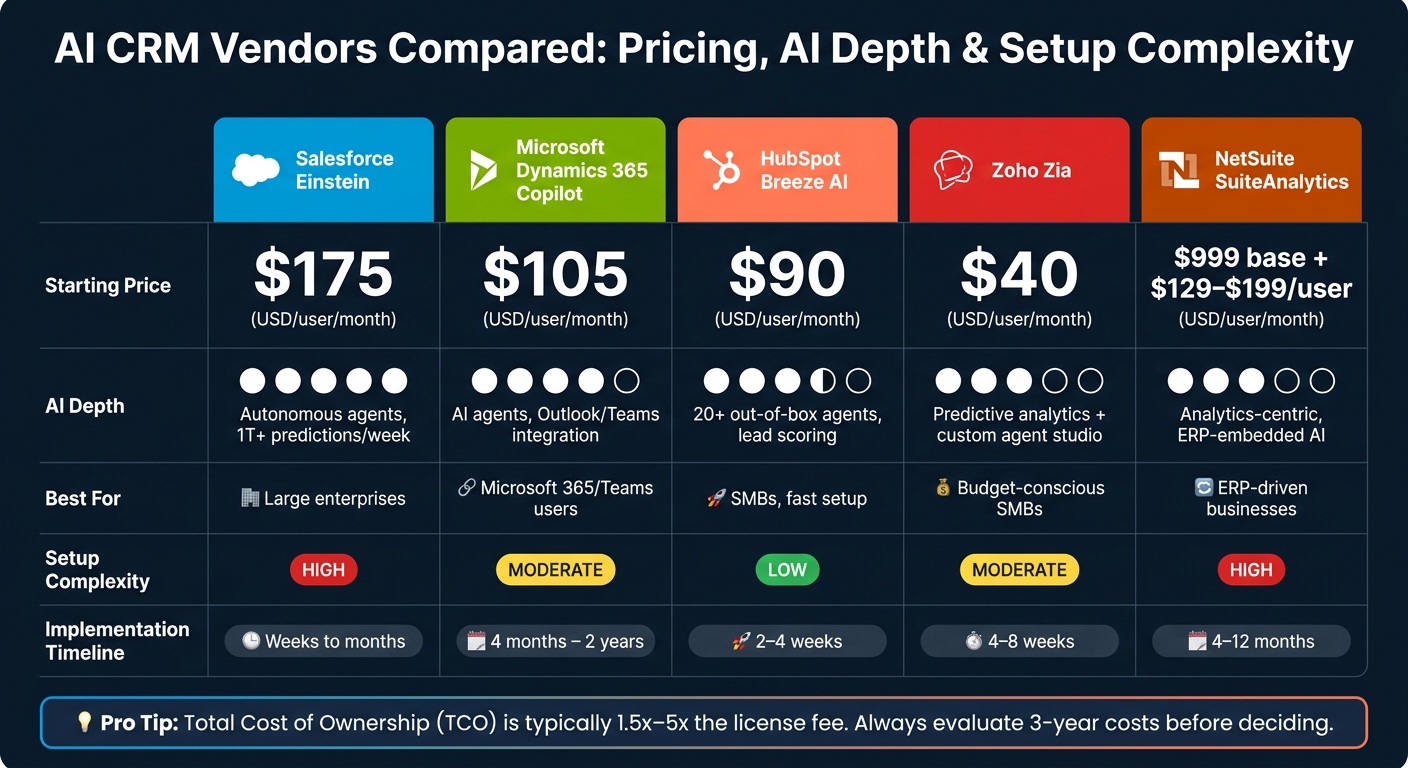
AI CRM Vendors Compared: Pricing, AI Depth & Setup Complexity 2025
The 5 Best AI CRMs in 2025
sbb-itb-f02ae4e
1. Salesforce Sales Cloud Einstein
Salesforce Sales Cloud Einstein stands out as a powerful AI-driven CRM, tailored for mid-sized to large enterprise teams that demand extensive customization, seamless workflows, and highly accurate predictions. Impressively, the platform processes over 1 trillion predictions every week for its global clientele [5].
AI Features
Sales Cloud Einstein offers an array of advanced AI capabilities:
- Einstein Lead Scoring: This feature assigns scores from 0 to 100 to leads, using machine learning trained on 18 months of closed-won and closed-lost deals. It highlights the top three factors influencing each score [8].
- Einstein Conversation Insights: Automatically transcribes calls and identifies key elements like objections, competitor mentions, and potential deal risks.
- Agentforce: Salesforce’s autonomous AI agent platform manages prospecting, lead engagement, and pipeline tasks entirely on its own [5][6].
"Agentforce can work 24 hours a day, seven days a week, and always at the same level of quality. That is the magic." – Ralf Spanheimer, Head of Sales Foundation within Smart Infrastructure, Siemens [10]
Siemens implemented Agentforce in October 2025 within its Smart Infrastructure division. The AI agents provided round-the-clock customer engagement while maintaining consistent service quality across time zones. This allowed their sales team to concentrate on strategic growth initiatives [10].
These advanced capabilities align with Salesforce’s premium pricing.
Pricing (in USD)
Salesforce employs a multi-layered pricing structure, combining tiered subscriptions, per-user add-ons, and usage-based credits for generative AI. Below is a breakdown of the main tiers that include AI functionality:
| Edition | List Price (USD/User/Month) | AI Features Included |
|---|---|---|
| Enterprise | $175 | Opportunity scoring; Agentforce available as an add-on |
| Unlimited | $350 | Predictive AI, Lead Scoring, Conversation Intelligence |
| Agentforce 1 Sales | $550 | Full Agentforce suite, Data Cloud, Tableau Next, Slack |
| Agentforce Add-on | From $125 | Autonomous AI agents (requires Enterprise+) |
| Agentforce Usage | ~$2 per conversation | Usage-based pricing |
Total cost of ownership (TCO) often ranges from 1.5x to 2x the license fee. Enterprise buyers frequently negotiate discounts of 20%–40%, so the final costs can vary significantly [7][11].
The platform’s design also supports large-scale operations.
Scalability
Einstein excels in scaling for businesses with complex sales structures, including multi-product or multi-geographic operations. Its Data Cloud integration allows AI models to analyze unified data from external systems like SAP or Oracle, providing insights that go beyond what simpler CRMs can offer [5][12]. However, for smaller teams, the platform’s depth might outweigh its benefits unless there’s sufficient data volume and workflow complexity to justify the investment.
That said, its advanced functionality comes with a steep learning curve.
Implementation Complexity
Setting up Salesforce Sales Cloud Einstein is no small task. Implementation can take weeks to months, and administrators typically require 40–100+ hours of specialized training to manage the system effectively [5][9]. For companies with over 50 users, having at least a part-time Salesforce admin is highly recommended. One critical step before deployment: ensure your CRM data is clean and accurate, as Einstein’s predictions are only as good as the data it processes [8][9].
2. Microsoft Dynamics 365 Customer Engagement and Copilot
Microsoft Dynamics 365 stands out for organizations already using Microsoft’s ecosystem. Its AI-powered assistant, Copilot, simplifies tasks such as drafting emails, summarizing leads and opportunities, preparing for meetings, and delivering real-time client insights. Recognized as a Leader in the 2025 Gartner Magic Quadrant for Sales Force Automation Platforms [15], it reflects the platform’s reliability and enterprise-level capabilities. Integration with familiar tools like Microsoft 365 enhances collaboration and productivity.
AI Features
Dynamics 365 goes beyond basic functionality with its autonomous AI agents, designed to optimize sales workflows with minimal human input. While the chat-based Copilot assistant provides general support, these specialized agents handle specific tasks:
- The Sales Qualification Agent independently researches and engages leads.
- The Sales Opportunity Agent identifies potential deal risks early.
- The Sales Close Agent takes on the entire sales cycle, including managing objections and offering product recommendations.
- The Sales Research Agent answers complex queries using natural language processing to analyze sales data [15][17].
These tools deliver measurable results. For instance, Sandvik Coromant‘s Sales Qualification Agent qualified 99 leads and saved 123 hours of manual work [15].
"Right away we saw the value of the agent." – Pia Cedendahl, Head of Sales, Digital Commerce, Sandvik Coromant [15]
Lenovo also benefited from deploying Copilot in Dynamics 365 Customer Service, achieving a 20% reduction in customer issue handling time [14].
Pricing (in USD)
Microsoft Dynamics 365 offers a modular pricing structure tailored for enterprises. Copilot becomes available starting with the Sales Enterprise tier at $105/user/month. Moving to the Sales Premium tier at $150/user/month adds 1,000 Copilot Credits per user each month, enabling autonomous agent features. For businesses needing multiple apps, the Base and Attach model reduces costs significantly, with additional apps priced at $20–$30/user/month instead of full price [18][20].
| License | Price (USD/user/month) | AI Features Included |
|---|---|---|
| Sales Professional | $65 | Core automation, no advanced AI [13] |
| Sales Enterprise | $105 | Copilot, natural language insights, opportunity summaries [13] |
| Sales Premium | $150 | Copilot + 1,000 Copilot Credits, AI data enrichment [13] |
| Team Members | $8 | Read-only / limited access [18][19] |
| Attach License | $20–$30 | Discounted rate for 2nd+ applications [18][20] |
To control costs, avoid assigning full licenses to users who don’t need them. For example, executives who only view dashboards can use the Team Members license at $8/month, saving approximately $1,710/month for every 50 users shifted from a full Sales license [20].
Scalability
Dynamics 365 is a scalable solution, ideal for mid-sized to large enterprises, especially those already using Microsoft 365, Teams, or Azure. Its consumption-based Copilot Credits model ensures flexibility – you only pay for AI usage that exceeds your included credits. Additional credits can be purchased either as prepaid (offering up to 20% savings) or pay-as-you-go via Azure [13][16]. The affordable Team Members license also allows large workforces to access the CRM without inflating costs. With over 60,000 organizations worldwide using Dynamics 365 [21], it strikes a balance between advanced features and financial practicality.
Implementation Complexity
While licensing is straightforward, implementation can be a costly and time-consuming process. Deployment costs range from $75,000 for small projects to over $2,000,000 for large enterprises, with timelines spanning anywhere from 4 months to 2 years [20]. In the first year, implementation, customization, and training expenses typically amount to 2–5 times the annual license cost [21].
"A failed implementation can cost twice as much as a successful, well-planned rollout." – Chase Pedersen, Rand Group [18]
To ease onboarding, Microsoft offers FastTrack for Dynamics 365, while Copilot Studio enables teams to create custom low-code agents without requiring extensive developer expertise [15]. However, one of the most common pitfalls is purchasing licenses before fully mapping workflows, often resulting in the wrong editions being selected [18]. Proper planning is crucial to maximize the platform’s potential while managing costs effectively.
3. HubSpot CRM with AI Tools
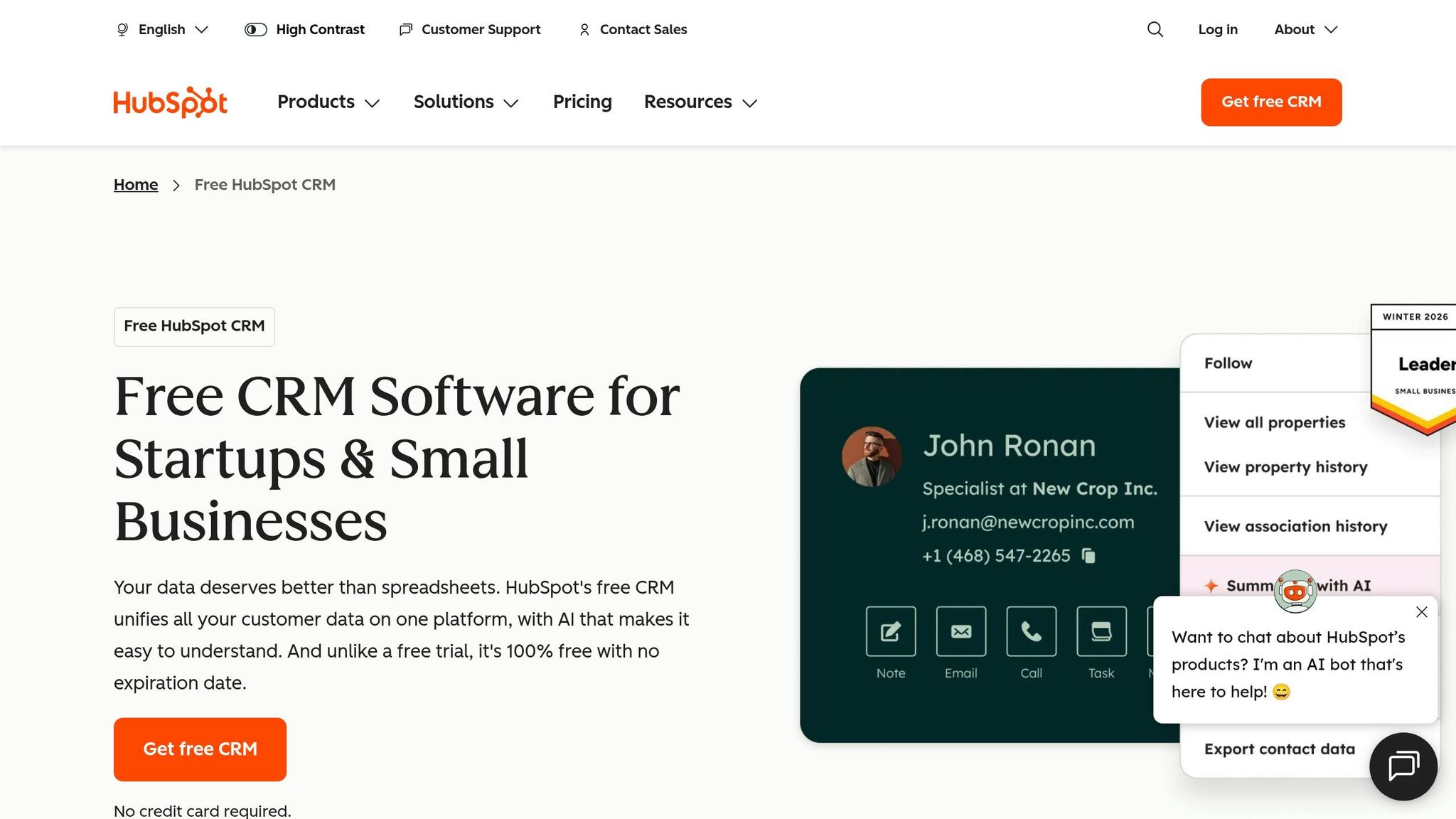
HubSpot is all about keeping things simple and fast. Its AI suite, Breeze AI, combines a conversational assistant, automated task workers, and data enrichment tools to streamline both sales and marketing. The best part? It’s ready to go right out of the box, with minimal setup required. Unlike other platforms that demand complex configurations, HubSpot’s plug-and-play approach speeds up deployment significantly.
AI Features
Breeze AI enhances workflows for both sales and marketing teams. On the sales side, it handles prospecting, creates personalized outreach, summarizes deal timelines, and uses predictive lead scoring to help reps focus on the best opportunities [5][24]. For marketing, the Content Agent generates blog posts, landing pages, and social media content tailored to match your brand’s tone [5]. This dual focus on both sales and marketing makes HubSpot a well-rounded option.
Some stats to back it up: 76% of sales professionals using HubSpot AI report spending more time selling, 73% see improved win rates, and HubSpot’s AI agents now resolve 35% of support tickets [24].
"Breeze instantly and quickly answered my questions. There is no way I could’ve gotten to that information faster by navigating through the CRM." – Kinzal Jalan, Author [22]
Pricing (in USD)
HubSpot’s pricing starts at an accessible level but increases as you unlock more advanced features. The Free CRM includes basic Breeze Copilot and supports up to 1 million contacts. The Professional tier (around $90–$100 per user/month) adds features like predictive lead scoring and conversation intelligence, while the Enterprise tier (about $150 per user/month) includes Breeze Agents and advanced forecasting tools.
| Plan | Price (USD per user/month) | Key AI Features |
|---|---|---|
| Free | $0 | Basic Breeze Copilot, 1M contacts [27][29] |
| Starter | $15–$20 | AI email writer, basic Copilot [5][28] |
| Professional | ~$90–$100 | Predictive lead scoring, conversation intelligence [5][26] |
| Enterprise | ~$150 | Breeze Agents, advanced forecasting, custom AI objects [5][29] |
| Breeze Intelligence | ~$30/mo (add-on) | Data enrichment for 100 records/month [23][25] |
Keep in mind, onboarding fees apply – $1,500 for Professional and $3,500 for Enterprise plans [27][28]. Additionally, starting in November 2025, AI agents will operate on a credit-based system (100 credits per conversation) [29]. For teams with high usage, it’s worth modeling these costs to avoid surprises.
Scalability
HubSpot fits best with small to medium-sized businesses (1–500 employees) thanks to its all-in-one design. Marketing, sales, and service teams share a single database, eliminating the usual headaches of syncing data across tools [29]. This setup makes it a practical choice for growing companies. As of 2026, HubSpot serves over 288,706 paying customers across 135+ countries [29], proving it can scale as businesses expand.
However, larger enterprises with complex needs – like multi-thousand-user hierarchies or extensive custom objects – might find the Enterprise tier less accommodating compared to more platform-centric options.
Implementation Complexity
Most mid-market businesses can get HubSpot up and running in just 2–4 weeks, with ongoing administration requiring only 0.25–0.5 full-time employees [5][26]. Over three years, a 50-user HubSpot deployment costs about $177,000, compared to $595,000 for a similar Salesforce setup – a cost difference of 3.4× [29].
"HubSpot’s implementation costs were 10X less than Salesforce. And they seemed hungrier, more nimble, more willing to work with us, and more flexible." – Leslie McGill, President and CEO [1]
That said, long-term costs can add up. While entry pricing is manageable, expenses can rise sharply in Year 2 and beyond as your contact list grows or you add more Hubs. To avoid surprises, it’s a good idea to estimate how your contact volume might grow over the next 18–24 months before committing to a plan [28][29].
Next, we’ll take a closer look at how Zoho CRM and Zia AI approach AI integration.
4. Zoho CRM and Zia AI
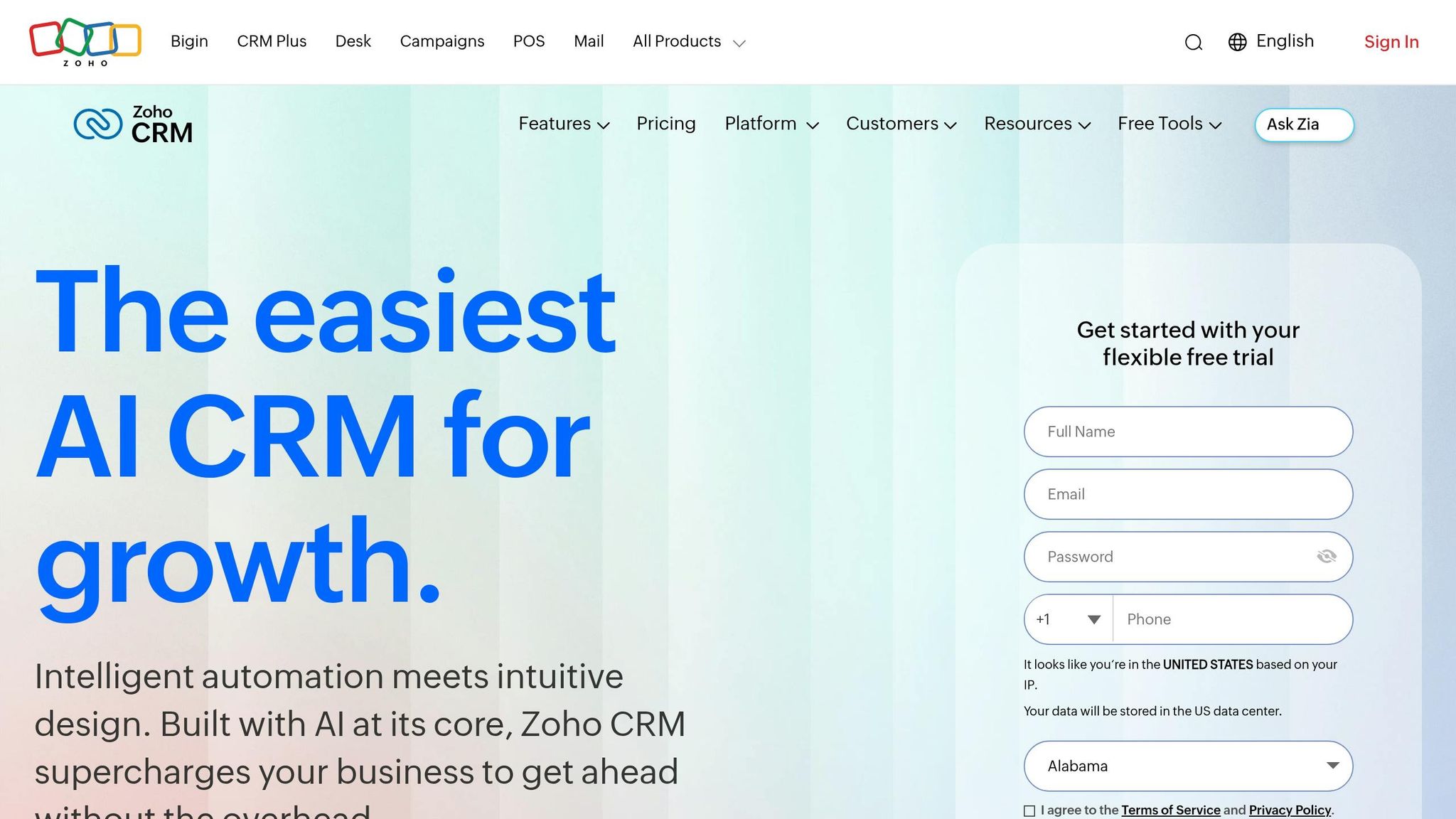
Zoho CRM stands out in the crowded CRM market for its combination of affordability and advanced AI features. At its core is Zia, Zoho’s AI engine, which continues to evolve with each update. A major leap came with the launch of Zia Agent Studio in early 2026, allowing users to create autonomous AI agents that integrate smoothly across Zoho CRM, Desk, Books, and Projects. This is achieved through simple prompts and over 700 pre-configured actions [31][37].
AI Features
Zia offers a wide array of tools designed to streamline workflows and improve decision-making. On the predictive side, it excels at lead and deal scoring, churn prediction, and revenue forecasting. Its recommendation engine provides actionable insights, such as the best time to reach out to a prospect or the next step in closing a deal. Zia can also generate CRM modules, workflows, and reports based on natural language commands, summarize record histories, and even draft email responses [33][35].
One particularly noteworthy feature is Vision AI. This tool uses Intelligent Character Recognition (ICR) to map image data directly into CRM fields while also identifying duplicate profile images [35]. Beyond that, Zia analyzes emails and calls for sentiment and intent, helping businesses spot potential risks in deals [33]. For companies concerned about data privacy, Zoho processes all AI functions on its proprietary infrastructure, ensuring greater control over sensitive information [37].
Pricing (in USD)
The full suite of Zia AI tools, including predictive analytics and Zia Voice, is available starting with the Enterprise plan at $40 per user/month (billed annually). While lower-priced plans include some AI features, businesses seeking advanced capabilities should consider the Enterprise tier.
| Plan | Price (USD/User/Month, Annual) | Key AI Features |
|---|---|---|
| Free | $0 (up to 3 users) | Leads, contacts, deals |
| Standard | $14 | AI agents, basic workflows |
| Professional | $23 | Email intelligence (sentiment, intent, summaries) |
| Enterprise | $40 | Full Zia AI suite, predictive analytics, journey orchestration |
| Ultimate | $52 | Custom AI/ML via QuickML, advanced BI integration |
| Zoho One | $37 | Bundle of 50+ Zoho apps, including CRM Enterprise |
For businesses already using other Zoho tools like Books, Desk, or Projects, the Zoho One bundle offers excellent value at $37 per user/month [27][32]. Zoho Enterprise is also much more affordable than Salesforce Enterprise, costing about 77% less ($40 versus $165 per user/month) [27].
Scalability
Zoho CRM is particularly well-suited for small to mid-sized businesses. The average paying customer has around 25 employees, while Zoho One customers typically have about 75 employees [31]. By 2026, Zoho CRM was serving over 300,000 businesses globally [39].
In 2025, Zoho introduced Team User licenses at $9 per user/month, enabling non-sales roles like marketing, legal, and finance to access customer data without needing a full CRM seat [30][38].
"With our complete business under control, our productivity is up by 80% in the last year that we have been using Zoho." – Thomas John, Managing Director, Agappe [39]
While very large enterprises with over 200 sales reps may require more extensive customization, Zoho CRM scales effectively for most growing businesses.
Implementation Complexity
For standard needs, Zoho CRM deployments typically take 4–8 weeks, a much shorter timeline compared to the 3–6 months often required for Salesforce implementations [34]. A notable example is TAFE (Tractors and Farm Equipment Limited), which completed a large-scale Zoho CRM rollout in just six months – a project that might have taken 18–24 months with other platforms.
"A CRM deployment of this magnitude would normally require 18 to 24 months… Zoho team completed this project in an astounding six months." – Shobhana Ravi, Chief IT, Innovation and Learning Officer, TAFE [36]
For businesses needing advanced automation, Deluge scripting may require hiring a technical consultant [33]. Zoho also simplifies data migration with its Zwitch tool, which helps businesses move data seamlessly from spreadsheets or other CRMs [39].
5. NetSuite CRM and SuiteAnalytics
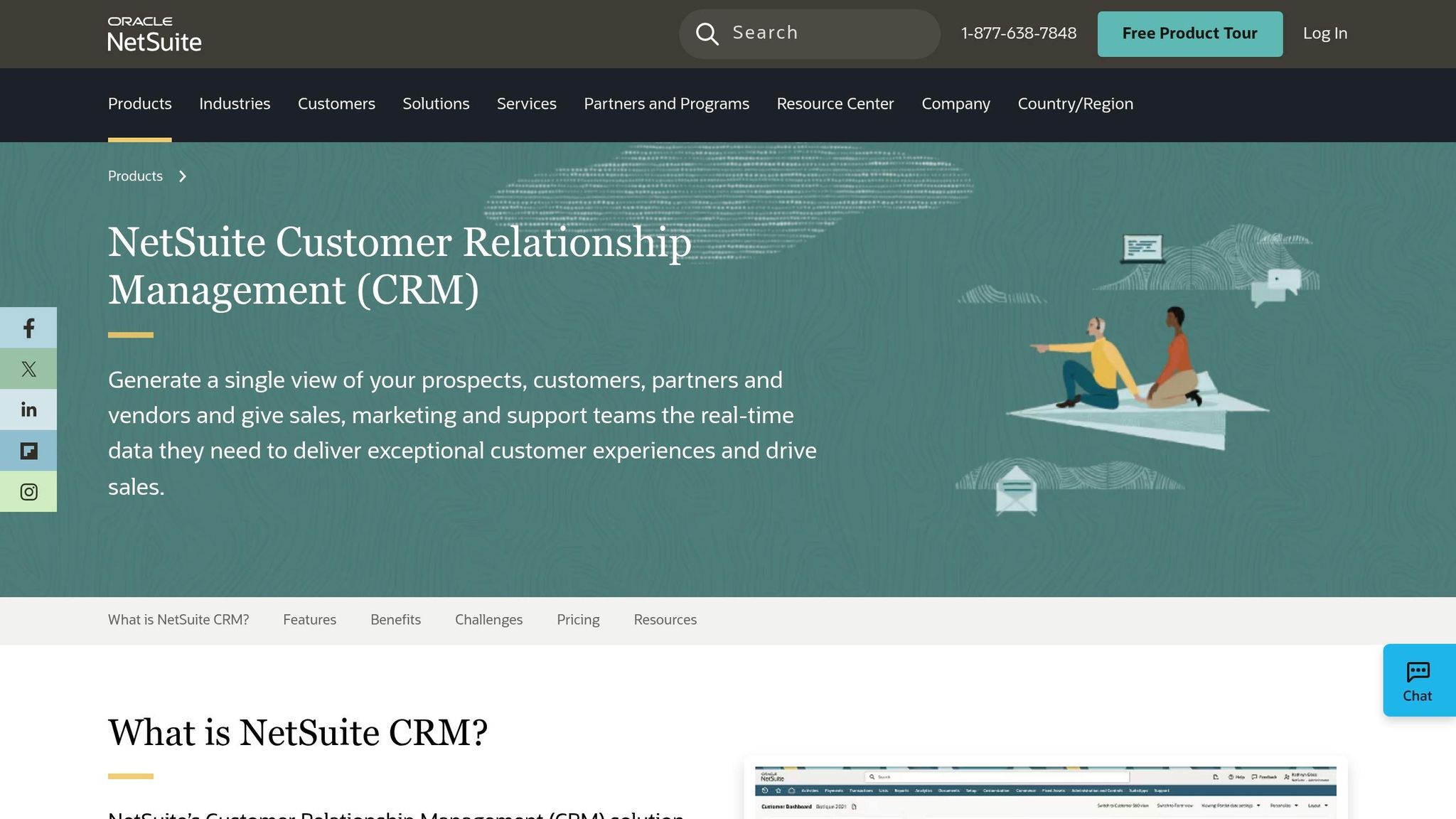
NetSuite CRM stands out because it’s not just a standalone tool – it’s fully integrated into the NetSuite ERP platform. This means that sales, finance, and inventory teams all work from the same database. No middleware. No syncing delays. No reconciliation headaches. This setup is particularly useful for manufacturers and distributors. For instance, a $45M distributor that switched from a Salesforce + NetSuite integration to NetSuite’s native CRM saw a 38% drop in order errors within six months, thanks to real-time inventory visibility during quoting [40]. This seamless integration paves the way for some impressive AI features.
AI Features
NetSuite’s AI capabilities revolve around SuiteAnalytics. Instead of needing complex formulas or filters, users can query reports and workbooks using plain language [42]. Its forecasting tools use probability-weighted, color-coded forecasts to predict pipeline value and recurring revenue [42][44]. Additionally, the Intelligent Item Recommendations engine analyzes purchase history to suggest complementary products during sales order entry. Think of it as a “people who bought this also bought that” feature [44].
One of the newest features, Text Enhance, is Oracle’s generative AI tool, introduced in the 2026.1 release. It’s included at no extra cost and helps draft product descriptions, summarize customer records, and speed up data entry. David Lindmeir, CEO of Foretopia, praised it, saying:
"NetSuite Text Enhance enables us to provide a better experience for our team and ultimately, our clients… It has already proven to be a huge time-saver." [47]
Other AI tools include guided CPQ (Configure, Price, Quote) for handling complex product configurations and anomaly detection to flag irregularities in financial or customer data [42][43].
Pricing (in USD)
NetSuite’s pricing reflects its enterprise-level features. Unlike most CRMs, it includes a mandatory base platform fee in addition to per-user costs. While this might not appeal to smaller teams, it can offer cost efficiencies for larger organizations.
| Cost Component | Estimated Price (USD) |
|---|---|
| Base Platform License | ~$999/month |
| Full User License (CRM access) | $129–$199/user/month |
| Employee Self-Service License | $15–$25/user/month |
| Marketing Automation Add-on | ~$30/user/month |
| Implementation (CRM-only) | $50,000–$75,000 (one-time) |
| Implementation (Full ERP + CRM) | $100,000–$250,000 (one-time) |
Pro Tip: When negotiating your contract, ask for a 3–5% annual cap on license fee increases. These caps are often available, but they’re rarely mentioned upfront [43].
Scalability
NetSuite’s scalability comes through its service tiers and modular add-ons. As your business grows, you can upgrade from Standard to Premium, Enterprise, or Ultimate tiers, which provide more user capacity, storage, and transaction processing. For companies with international operations, the OneWorld module simplifies managing multiple subsidiaries, currencies, and tax rules – all within the same system [46].
Ian Larkin, Controller at CentralReach, summarized its value:
"The company could have handled the growth without an ERP system, but we would have been forced to hire a lot more people." [46]
NetSuite CRM is particularly beneficial for businesses already using or planning to use NetSuite ERP. Mercedes Lerena, CEO of BrokenRubik, put it this way:
"NetSuite CRM is the right choice when you want CRM and ERP on the same database." [45]
Implementation Complexity
Rolling out NetSuite requires careful planning. A mid-market implementation typically takes 4–5 months, while larger ERP + CRM projects can stretch to 12 months. Custom workflows often require SuiteScript developers, whose rates range from $150 to $250 per hour [40][41].
To speed things up, Oracle offers SuiteSuccess – a methodology with pre-configured industry templates that can reduce implementation time by 20–30%. However, this approach may limit the depth of customization [40].
One key to managing costs is addressing data migration early. Cleaning up outdated spreadsheets and inconsistent inventory records before starting the project can prevent costly overruns [43].
Pros and Cons by Vendor
Each platform brings its own set of advantages and challenges. Here’s a quick overview of how these vendors stack up in terms of AI capabilities, pricing, scalability, and ease of implementation.
| Vendor | AI Depth | Cost | Scalability | Ease of Setup |
|---|---|---|---|---|
| Salesforce Einstein | Highest – autonomous agents, 1 trillion+ predictions/week [5] | Very high ($300–$500+/user/mo) | Enterprise-grade | Low |
| Microsoft Dynamics 365 Copilot | High – native Outlook/Teams integration [48] | Moderate to high (~$125/user/mo) [12] | Very high (best in MS shops) | Moderate |
| HubSpot Breeze AI | Moderate to high – 20+ out-of-the-box agents [12] | Moderate (~$90–$150/seat/mo) [5] | High – best for mid-market | High – days to weeks [5] |
| Zoho Zia | Moderate – predictive analytics + custom agent studio [48] | Low to moderate (~$40–$50/user/mo) [12] | High – grows with SMBs | Moderate – weeks [12] |
| NetSuite SuiteAnalytics | Moderate – analytics-centric, ERP-embedded [49] | High (plus mandatory base fee) | Very high – enterprise-grade | Low – complex ERP rollout [3] |
This breakdown helps you match each platform’s strengths to your business needs.
Salesforce Einstein stands out as the most advanced option, delivering unmatched AI capabilities. However, its high cost and complex setup make it best suited for large enterprises with dedicated Salesforce expertise and a generous budget. Microsoft Dynamics 365 Copilot is a natural choice for organizations already using Teams and Outlook, though it does require technical expertise to unlock its full potential [4].
If you’re looking for quick wins, HubSpot Breeze AI is the top pick. Its plug-and-play agents are ready to go, and the majority of users report seeing ROI within three years [50]. For growing businesses that need strong AI features without breaking the bank, Zoho Zia offers excellent value. Finally, NetSuite SuiteAnalytics is ideal when you need CRM and ERP functionality on a unified platform, though its setup can be challenging.
"HubSpot AI (Breeze) is ideal for SMBs and mid-market teams that want powerful AI without a 6-month implementation project." – Sarah Chen, Automation Expert [5]
Conclusion
Selecting the right AI-powered CRM boils down to a few key factors: the size of your business, your existing technology ecosystem, and how much complexity you’re ready to handle during implementation.
| Business Profile | Best Fit Vendor | Primary Reason |
|---|---|---|
| Large enterprise, sales-heavy | Salesforce Sales Cloud Einstein | Advanced AI capabilities and a well-established ecosystem |
| Microsoft 365/Teams environment | Microsoft Dynamics 365 Customer Engagement and Copilot | Seamless integration with Microsoft tools |
| SMB or mid-market, fast setup | HubSpot CRM with AI Tools | Quick adoption and fast time-to-value |
| Budget-conscious, broad automation | Zoho CRM with Zia | Affordable with strong AI features |
| ERP-driven operations | NetSuite CRM and SuiteAnalytics | Combines CRM and financials on a unified platform |
This table aligns each vendor’s strengths with specific business scenarios, making it easier to identify the best match for your needs.
When evaluating options, U.S. businesses should think beyond just the monthly license fee. Consider the total cost of ownership (TCO) over three to five years, which includes expenses like implementation, integrations, and ongoing administrative support. A platform that seems affordable upfront can become costly with added customizations.
"The right CRM becomes your growth engine. The wrong one becomes expensive shelfware." – CRM Experts Online [2]
For businesses lacking in-house CRM expertise, working with a knowledgeable consultant can simplify the deployment process. CRM Experts Online offers platform-agnostic consulting and implementation services for Salesforce, HubSpot, Zoho, and NetSuite. Their CRM Selection & Strategy Audit packages start at $1,650 for small businesses and go up to $6,600 or more for complex enterprise needs [2]. This service helps organizations choose a platform that aligns with their workflows, reducing the risk of costly mistakes before signing a long-term contract. Make sure your CRM choice fuels growth and supports your business goals effectively.
FAQs
How can I estimate the total cost of ownership (TCO) for an AI CRM?
When calculating the total cost of ownership (TCO) for an AI-powered CRM, it’s essential to factor in direct, indirect, and hidden costs over a 3–5 year period. Here’s a breakdown:
- Direct costs: These are the upfront and visible expenses, such as subscription fees, implementation costs, customization efforts, training programs, and data migration services.
- Indirect costs: Often overlooked, these include productivity losses during the transition, internal labor required for setup and maintenance, and gaps in training that may affect team efficiency.
- Hidden expenses: These can sneak up on you and may involve costs for AI add-ons, exceeding API usage limits, and ongoing system maintenance.
For a comprehensive analysis tailored to your business needs, CRM Experts Online offers specialized TCO evaluations to ensure your investment aligns with your sales and marketing objectives.
What data is needed for AI features like lead scoring to work effectively?
AI-powered lead scoring uses a mix of firmographic, demographic, and behavioral data to identify potential customers. Firmographic and demographic information – like job titles, company size, and industry – helps outline the characteristics of your ideal customer. Meanwhile, behavioral data, such as website visits and email engagement, provides insights into a prospect’s buying intent. According to CRM Experts Online, maintaining consistent, high-quality data and verifying it across multiple sources is crucial for improving accuracy and avoiding wasted effort in sales.
Which AI CRM is easiest to implement with the least IT help?
CRMs that offer quick setup and easy-to-navigate interfaces can be implemented with little need for IT assistance. Choose platforms that include straightforward visual tools for creating workflows, allowing non-technical teams to handle processes on their own. Focus on solutions tailored to small and mid-sized businesses, and ensure there’s a well-defined implementation plan in place to avoid unexpected costs and boost adoption rates.
Related Blog Posts
- Top 8 CRM Automation Tools for Marketing Teams
- How AI Improves CRM Resource Utilization
- How AI Improves CRM Workflow Efficiency
- AI-Powered CRM Scalability: Best Practices

CRM & ERP Enterprise Technology Expert and Entrepreneurial Executive with 20+ years of leading CRM, ERP, Customer Experience, and Block-chain initiatives and projects across internal and customer facing technologies. Proven success in closing large deals in Pre Sales customer facing engagements and deploying enterprise wide CRM & Customer Experience solutions internationally and domestically.