
For an actuarial consulting firm, a client relationship can involve several people, multiple business entities, and related engagements. Those connections need to stay clear as an opportunity moves through the business and into the financial system.
That was a central challenge in a recent HubSpot implementation we supported at CRM Experts Online. The firm needed to connect HubSpot with NetSuite while giving its people clear, consistent ways to manage companies, contacts, and deals.
Getting there required careful work on the data, the integration, and the way employees would use the system every day.
Designing HubSpot around client relationships
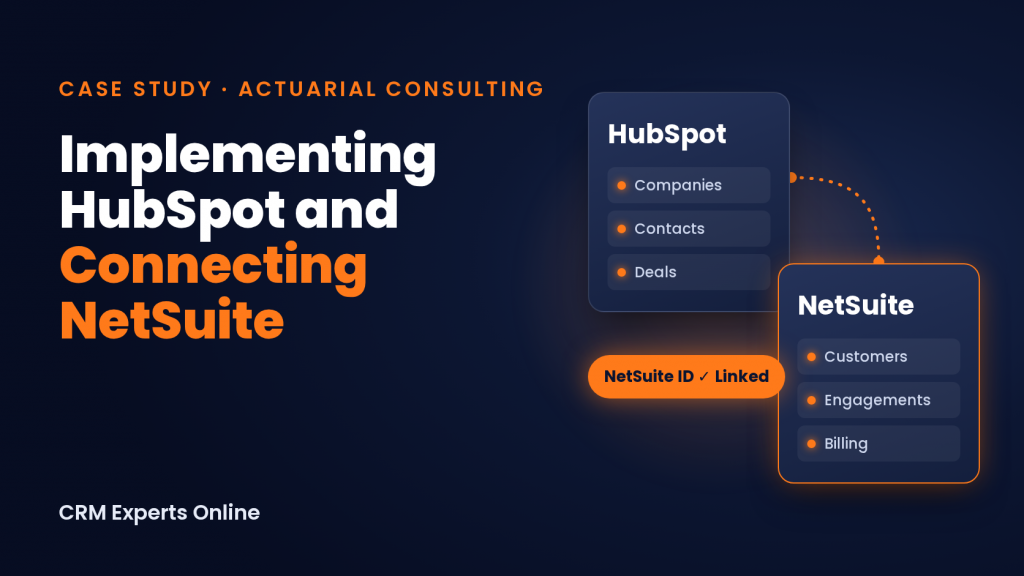
The project involved relationships that a simple transfer of fields would not fully capture. Contacts could be associated with multiple companies, and related deals needed to reflect a broader engagement structure.
These details mattered. A record arriving in another system is only useful if it represents the right customer and retains the relationships the business depends on.
Our team worked through those association requirements alongside the integration. We established rules and labels for linking records and identified where more complex parent and child deal relationships would require additional development.
For a consulting firm, this is an essential part of CRM design. The structure needs to reflect how the firm manages its clients and engagements.
Preparing the data for HubSpot and NetSuite
Reliable record matching was a major part of the implementation. The team needed a consistent way to identify which HubSpot record belonged with which NetSuite record.
We introduced a dedicated unique NetSuite identifier in HubSpot and compared records across the two systems. The team also validated contact imports, removed test data from production import files, and addressed missing identifiers before completing the data loads.
Opportunities marked Closed Lost remained in HubSpot for reporting, preserving useful history while the cleanup focused on the records and connections needed for the integration.
This work gave the implementation a defined method for matching records. It also made the relationship between the systems more visible through identification fields and a status flag showing when a record was linked to NetSuite.
Connecting the systems in phases
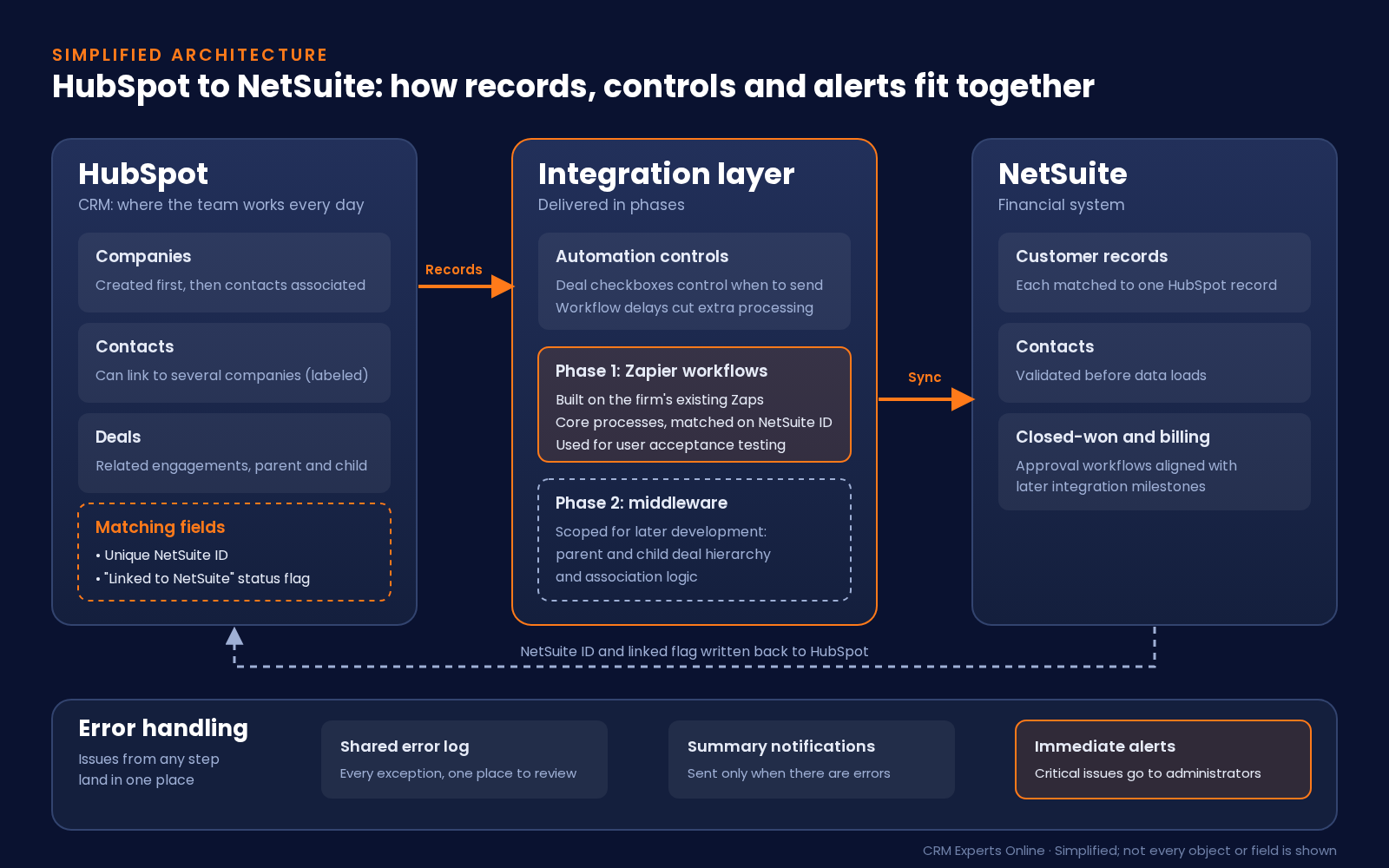
The firm’s existing Zapier workflows provided a starting point for user acceptance testing. We used that configuration to work through core processes and identify requirements that needed a different approach.
One of those requirements was the handling of parent and child deal relationships. The initial integration configuration did not fully address that complexity, so the team scoped additional middleware work to support the required hierarchy and association logic.
That distinction shaped the rollout. The initial integration supported launch preparation, while the more complex requirements had a defined path for further development.
We also added controls, including deal-level checkboxes and workflow delays, to manage when automation ran and limit unnecessary processing. Decisions about automation included both the information being transferred and the conditions that should trigger the transfer.
Making integration issues easier to manage
An integration needs a practical way to show when a record requires attention. Administrators need to know what happened and which issues should be addressed first.
The team developed an approach that combined a shared error log, summary notifications, and immediate alerts for critical issues. Routine summaries were designed to be sent when there were errors to review.
This established a process for monitoring exceptions and escalating urgent problems. Error handling became part of the implementation plan, with a clear place to review issues after launch.
Training users around their daily work
Training was a core part of getting the implementation ready for everyday use. The quality of the information moving between HubSpot and NetSuite depended in part on how people created and maintained records.
Sessions focused on practical tasks:
- Creating company records before adding and associating contacts.
- Checking for existing records before creating new ones.
- Managing contacts connected to more than one company.
- Understanding the identifiers used to match records across systems.
- Following the appropriate deal workflow as an engagement progressed.
Office hours, video lessons, and written guides gave users ways to learn the process and revisit it when questions came up.
The training also followed the implementation’s phases. Everyday deal management came first, while more complex closed-won and billing approval workflows were aligned with later integration milestones.
That sequencing kept training connected to the system’s readiness. It also helped explain why individual actions mattered. Associating a contact with the correct company, for example, supports the accuracy of the information used in later steps.
Validating the system before launch
As the project approached production, the team worked through data loading, user testing, and defect resolution. Stakeholders reviewed contact and deal records before the final go or no-go decision.
The launch plan followed the readiness of the data and workflows. Noncritical enhancements were scheduled for later so the immediate focus stayed on the requirements needed for production.
The production deployment was finalized following that validation process. The implementation established a consistent record-matching approach, defined associations, controls around automation, and training resources for the people using HubSpot.
Those are practical deliverables that matter after launch: knowing which records belong together, understanding how to maintain them, and having a process for identifying issues when they occur.
What other consulting firms can take from this project
A HubSpot implementation for an actuarial consulting firm needs to account for the relationships behind the work. Company structures, contact associations, related engagements, and financial records all influence how the CRM should be configured.
This project reinforced the importance of addressing data preparation, integration design, testing, and training together. Each affects the others. A sound record-matching method depends on complete identifiers. An association rule depends on people understanding how to use it. A production launch depends on validating those pieces as a working process.
At CRM Experts Online, we help consulting firms work through those details so their CRM implementation supports the way their teams manage clients and deliver services.
If your firm is planning a HubSpot implementation or needs to connect HubSpot with NetSuite, book a call with CRM Experts Online to discuss your workflows, integration requirements, and rollout.

CRM and ERP Expert
Founder of CRM Experts Online.Com
Founder of CRMCoPilot.AI