
API versioning is a critical tool for ensuring smooth communication between CRM and ERP systems, especially as businesses scale and systems evolve. Without it, updates can break integrations, leading to downtime, data inconsistencies, and operational inefficiencies. Here’s what you need to know:
- What is API versioning? It’s a structured way to manage changes in APIs, ensuring updates don’t disrupt existing integrations. For example, older systems can continue using
/v1/customerswhile new features are added in/v2/customers. - Why does it matter? It prevents disruptions during updates, maintains backward compatibility, and ensures data flows correctly between systems.
- Common challenges in CRM-ERP integrations: Data silos, system incompatibility, scaling issues, and real-time synchronization problems.
- Primary versioning methods:
- URI Versioning: Easy to implement but can clutter URLs.
- Header Versioning: Keeps URLs clean but requires client-side configuration.
- Query Parameter Versioning: Simple but harder to maintain over time.
- Best practices: Define clear versioning policies, provide detailed documentation, automate testing and deployment, and monitor vendor updates.
Key takeaway: API versioning is essential for maintaining stable CRM-ERP integrations, minimizing risks, and ensuring systems can grow and evolve without disruptions.
How API Versioning Prevents Breaks and Ensures Stability
Main API Versioning Methods for CRM-ERP Integration
When integrating CRM and ERP systems, there are three primary methods for API versioning, each with its own strengths and challenges.
URI Versioning
URI versioning is a straightforward method where the version number is embedded directly into the API endpoint. For instance, instead of accessing /customers, you might call /v1/customers or /v2/customers. This approach is popular because it’s clear and easy to use.
For example, if Version 1 provides basic customer details and Version 2 adds purchase history, calling /v2/customers makes it instantly clear what data to expect. This clarity simplifies troubleshooting and long-term maintenance. Integration teams can easily identify which API version is being used by reviewing server logs or API calls, which is especially helpful when managing multiple integrations across departments.
However, URI versioning has a downside. Over time, as more versions are added, you may end up with multiple URLs for the same resource, which can clutter the API structure. Despite this, many organizations prefer this method for its simplicity and transparency.
Header and Query Parameter Versioning
Header versioning includes the version information in HTTP headers, such as API-Version: 1 or Accept: application/vnd.company.v1+json, keeping the resource path clean. This approach is particularly useful for complex CRM-ERP integrations, as it allows you to maintain a single endpoint (e.g., /inventory) while specifying different data formats or structures through headers. This keeps the API structure tidy and makes it easier to introduce new versions without creating additional URLs.
Query parameter versioning, on the other hand, includes the version in the URL as a parameter, like /customers?api_version=1. This method achieves the same result as header versioning but makes the version visible in the URL. It’s often simpler to implement initially since it doesn’t require handling headers on the client side.
Both methods are flexible, especially when integrating with multiple ERP systems that require varying data formats. They allow you to serve different versions of the same data without creating separate endpoints for each version.
| Method | Advantages | Disadvantages |
|---|---|---|
| URI-based | Clear and intuitive; easy to implement | Can lead to URL clutter; less flexible |
| Header-based | Keeps URLs clean; supports flexible evolution | Requires proper client-side implementation |
| Query Parameter | Simple to implement; version visible in URL | Can clutter URLs; harder to maintain over time |
Semantic Versioning
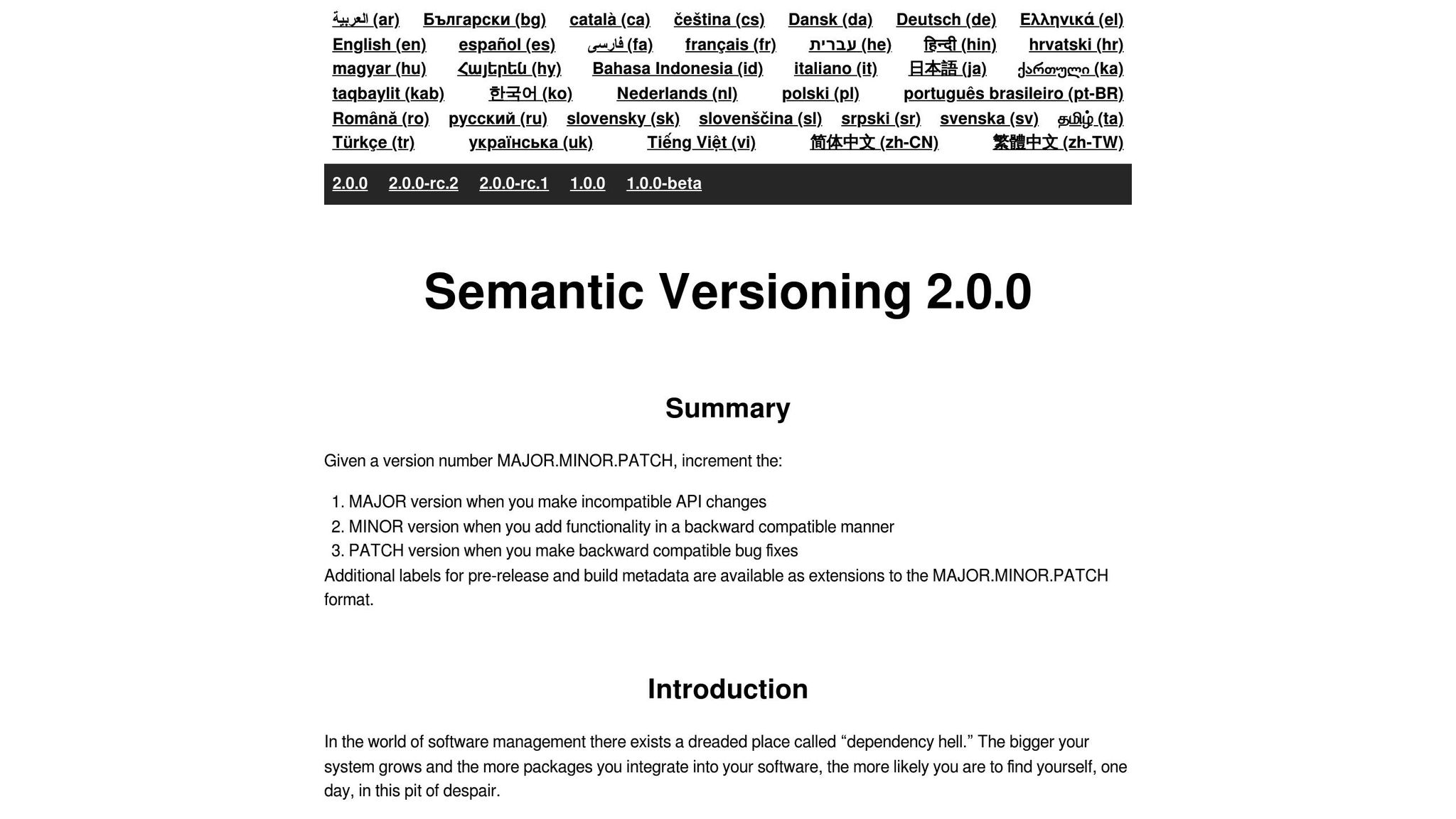
Semantic versioning (SemVer) uses a structured numbering system (MAJOR.MINOR.PATCH) to indicate the nature of API changes. This method helps integration teams gauge the impact of updates before applying them to their CRM-ERP workflows.
"Semantic versioning solves that problem through a contract that every tool and engineer can evaluate without context." – Neel Vithlani, Journalist [5]
The MAJOR.MINOR.PATCH format breaks down as follows:
- MAJOR: Introduces breaking changes that require careful planning.
- MINOR: Adds new features without breaking existing functionality.
- PATCH: Fixes bugs or makes small updates without disrupting workflows.
For instance, moving from version 2.1.3 to 2.1.4 signals a patch update, while transitioning to version 3.0.0 indicates major changes that may require adjustments.
"By giving a name and clear definition to the above ideas, it becomes easy to communicate your intentions to the users of your software." – Semantic Versioning 2.0.0 [4]
A real-world example comes from TinyMCE’s release process:
"A patch release (e.g., 5.0.1) can only contain patch releases of TinyMCE and any Premium plugins. A minor release (e.g., 5.1.0) will contain a minor release of TinyMCE and only patch or minor releases of any Premium plugins. A major release (e.g., 6.0.0) will contain a major release of TinyMCE and patch, minor or major releases of any Premium plugins" [3].
In CRM-ERP integrations, semantic versioning can complement other methods. For example, you might use URI versioning for major versions (e.g., /v2/customers) while applying semantic versioning principles in documentation and changelogs to specify updates (e.g., 2.3.1). This hybrid approach ensures clarity and smooth API evolution in dynamic environments.
API Versioning Best Practices for CRM-ERP Integration
Managing API versioning effectively is critical for maintaining stability and ensuring smooth integration over the long term. A well-thought-out approach starts with a clear versioning policy and extends to robust documentation and automation practices.
Create Clear Versioning Policies
A solid versioning policy is the backbone of API management. It should define when and how versions are updated, what qualifies as a breaking change, and how long each version will remain supported [2]. Without clear rules, teams risk confusion and potential integration failures.
Key points to include in your policy:
- Define deprecation timelines and backward compatibility requirements to avoid disrupting existing CRM-ERP workflows.
- Notify users well in advance when deprecating a version [2].
- Include the policy in your terms of service to establish clear expectations with third-party integrators [7]. This ensures transparency and provides a legal framework for support commitments.
- Differentiate between internal implementation changes and external contract changes to allow internal updates without impacting users [7].
Before creating a new version, evaluate if it’s truly necessary [7]. Not every change requires a new version. Bug fixes and minor updates can often be implemented without affecting existing integrations, reducing the complexity for all stakeholders.
Document and Communicate Updates
Comprehensive documentation is vital for helping developers navigate changes between API versions. This includes migration guides, code examples, and clear explanations of new features or deprecated functionality.
Key practices for effective communication:
- Release notes and migration guides: Highlight breaking changes, new features, and bug fixes. Provide step-by-step instructions for transitioning between versions, complete with code samples and troubleshooting tips [10].
- Establish communication channels: Use email newsletters, developer portals, or dedicated messaging platforms to keep users informed about updates and new versions [10].
- Regularly update your documentation to reflect changes. As Lluis Font, a LinkedIn Top Voice in Artificial Intelligence, advises:
"Regular updates are essential to keep your documentation accurate and relevant. Reflect any changes or improvements in your APIs promptly. Communicate updates to users through changelogs, newsletters, or version control systems. Solicit feedback from users and incorporate their suggestions to enhance the documentation." [9]
Engage users to gather feedback on their needs and expectations. Regular discussions with integration partners can uncover pain points and guide future API development priorities [10]. When deprecating a version, offer support during the transition period, such as migration assistance or temporary compatibility layers, to minimize disruptions and maintain trust.
Automate Versioning Processes
Automation is key to reducing errors and ensuring consistency in managing API versions. By streamlining processes, you can improve efficiency and reliability across your API ecosystem.
Here’s how automation can help:
- CI/CD pipelines: Use continuous integration and deployment pipelines to ensure consistent, reliable version rollouts. These should include automated testing, version tagging, and deployment processes [2].
- Automated testing: Verify that new versions maintain both forward and backward compatibility. This ensures existing CRM-ERP integrations continue to function smoothly [2][1].
- Monitoring tools: Track usage patterns to understand how many applications rely on each API version. This data helps inform deprecation decisions, ensuring widely used versions receive adequate support [1].
- API gateways: Centralize version management and routing. Gateways can handle authentication, route requests to the correct version, and provide centralized logging and monitoring, simplifying overall management [1].
Automating these processes can lead to measurable benefits. For example, companies with advanced API management practices report a 20% boost in developer productivity and a 15% reduction in development costs [6]. With 68% of enterprises identifying versioning as a top challenge in API lifecycle management [8], automation is essential for maintaining efficiency and reducing manual intervention.
A phased rollout strategy is another critical component of automation. Deploy new versions to a small group of users first to identify and resolve any issues before a full-scale release [7]. This approach minimizes disruptions and ensures a smoother experience for all users in CRM-ERP environments.
sbb-itb-f02ae4e
Managing API Changes in CRM-ERP Environments
Handling API changes in CRM-ERP environments is no small task. It demands careful planning, open communication with vendors, and the use of effective tools. Even seemingly minor updates can cause significant disruptions if not managed properly.
Track Vendor API Roadmaps
Keeping up with vendor API changes is essential to maintaining smooth CRM-ERP integration. By closely monitoring vendor roadmaps, you can prepare for updates before they impact your systems, minimizing the risk of surprises.
Establish direct communication with your vendors to get advance notifications, beta access, and migration guides. This early information allows your team to test updates in a development environment before they reach production.
To stay informed, subscribe to vendor changelogs through RSS feeds, email updates, or developer portals. These resources provide real-time updates and insights into upcoming changes, helping you schedule maintenance and coordinate system updates effectively. Pay close attention to deprecation notices, as these often come with a 6–12 month lead time, giving you the opportunity to plan migrations and avoid last-minute scrambles.
Once you’re on top of vendor updates, the next step is to implement tools that help manage these changes efficiently.
Deploy API Management Tools
API management tools are invaluable for monitoring dependencies, managing updates, and ensuring smooth workflows in CRM-ERP integrations. These tools offer features like automated testing and comprehensive monitoring, which help verify that workflows remain functional across different API versions.
Security is another key factor to consider. Choose tools that provide robust protection for sensitive business data across all API versions, including active, deprecated, and undocumented endpoints. Features like automatic API inventory generation, detailed traffic analysis, and version-aware security policies can help maintain high security standards. Additionally, real-time alerts, interactive dashboards, and virtual patching capabilities allow your team to address issues and vulnerabilities as they arise.
With the right tools in place, the next consideration is how to approach integration itself – whether through direct connectors or unified API platforms.
Direct Connectors vs. Unified API Platforms
Your choice of integration method significantly impacts how API changes are managed. Both direct connectors and unified API platforms offer distinct benefits and challenges, especially in terms of scalability, maintenance, and version control.
Direct connectors establish point-to-point integrations between specific CRM and ERP systems. While they offer full control and access to vendor-specific features, they require significant maintenance. Each connector must be updated individually when vendors release new API versions, which can lead to a tangled web of dependencies that becomes harder to manage as your systems grow.
Unified API platforms, by contrast, simplify the process by providing a single, standardized interface that abstracts the complexity of individual vendor APIs. This approach makes version management easier, as the platform handles vendor updates. However, it may limit access to certain vendor-specific features and could introduce some latency in data synchronization.
| Aspect | Direct Connectors | Unified API Platforms |
|---|---|---|
| Scalability | Limited – individual updates for each integration | High – one interface works across systems |
| Maintenance | High – manual updates for every API change | Low – platform handles vendor updates |
| Version Control | Complex – multiple API versions to track | Simplified – platform abstracts differences |
| Customization | Maximum – full access to vendor features | Limited – depends on platform capabilities |
| Speed | Slower – custom development required | Faster – pre-built connectors available |
| Cost Structure | High upfront and ongoing maintenance costs | Subscription-based with predictable costs |
The right choice depends on your organization’s needs. Direct connectors are ideal for teams with strong technical expertise and specific customization requirements. Unified platforms, on the other hand, are better suited for companies looking for quick deployment and minimal maintenance. In some cases, a hybrid approach – using direct connectors for highly tailored integrations and unified platforms for standard tasks – may strike the perfect balance.
When evaluating unified API platforms, consider their ability to handle vendor API changes and maintain backward compatibility. A platform’s responsiveness to updates plays a critical role in ensuring stable CRM-ERP integrations over time.
Custom API Development for CRM-ERP Integration
Sometimes, standard solutions just don’t cut it. When your business operates with unique workflows, relies on legacy systems, or has specific needs that off-the-shelf APIs can’t meet, creating custom APIs becomes the obvious choice. This gives you full control over how your CRM and ERP systems interact, but it also introduces its own set of challenges.
When to Build Custom APIs
Custom APIs are crucial when your business processes fall outside the scope of standard integration tools. Here are some scenarios where they shine:
- Legacy Systems: Older ERP systems often lack modern APIs. Custom APIs can bridge the gap, enabling data flow between these outdated systems and modern CRM platforms without requiring a full system replacement.
- Complex Workflow Automation: In industries like manufacturing, custom APIs can synchronize customer orders with inventory updates and production schedules across multiple systems.
- Industry-Specific Needs: For example, in supply chain management, custom APIs can link ERP systems with logistics platforms to automate procurement and provide real-time shipment tracking.
- Real-Time Monitoring: Custom APIs can connect production machinery to centralized dashboards, delivering automated updates on performance metrics, status, and maintenance alerts.
- Quality Control: APIs can integrate testing equipment with analytics tools, ensuring product test results are transmitted instantly for defect analysis.
These examples highlight why custom APIs are often essential for addressing the distinct challenges of CRM-ERP integration [11]. Once the need for a custom API is clear, it’s critical to design it to align with both your business operations and your target market.
Localizing APIs for the US Market
When developing custom APIs for the US, localization is key. APIs must align with local standards for data formats, regulations, and user expectations. Getting these details right from the start avoids costly revisions and compatibility issues down the line.
Date and Time Formatting:
In the US, dates follow the MM/DD/YYYY format, which differs from formats used in other regions [13].
Currency Handling:
The US dollar sign ($) is placed before amounts (e.g., $100), with commas used as thousand separators and periods for decimals [14]. Tools like the JavaScript Internationalization API (Intl) can help enforce these formats [12][15].
Measurement Units:
While much of the world uses metric units, the US relies on imperial measurements like feet, inches, pounds, and Fahrenheit. Your API needs to account for these units when managing dimensions, weights, or temperatures.
Cultural and Regulatory Requirements:
US businesses expect strong privacy protections and compliance with local data handling and financial reporting standards. Your API should be designed to meet these expectations.
"Software localization adapts the internationalized software into other languages and regions. It can include the cultural and country-specific aspects of different languages." – Lokalise [13]
To ensure smooth operation, implement localization directly into your API design, consistently using the "en-US" locale.
Documentation and Training for Custom APIs
Even the best-designed custom API can fall short without clear documentation and proper training. These elements are critical for successful implementation and long-term usability.
API Documentation Essentials:
Your documentation should cover everything users need to know, including:
- Tutorials and practical examples
- Authentication methods
- Endpoint definitions
- Status and error codes
- A glossary of terms
Focus on the specific challenges your API addresses, such as integrating with legacy systems or automating complex workflows.
Use Clear Language and Real Examples:
Break down technical concepts into plain English, and include examples that reflect real-world CRM-ERP integration scenarios. Code samples should demonstrate actual use cases, not abstract placeholders.
Team Collaboration:
Involve teams from engineering, marketing, product, and support to ensure the documentation addresses diverse needs [16]. Assign responsibility for keeping the documentation up-to-date as the API evolves.
Integrated Documentation Updates:
Tie documentation updates to your deployment process. Any API changes should trigger immediate updates to the documentation, reducing the risk of errors caused by outdated information [17].
Training and Support:
Offer training programs that go beyond technical details to explain the broader business goals of the API. This helps team members understand not just how the API works, but why it was designed a certain way. Providing ongoing support alongside comprehensive documentation can reduce support requests, speed up onboarding, and ensure the API performs reliably over time [17].
Conclusion
API versioning plays a critical role in ensuring smooth CRM-ERP integration, offering stability and reliability as systems grow more complex over time. By employing structured versioning strategies, organizations can maintain consistent data exchange between customer relationship management and enterprise resource planning platforms, even as their needs evolve.
Research highlights the practical benefits of effective versioning: it can cut support tickets by 40% and improve user satisfaction by 85% [19]. These figures underscore how thoughtful version management directly enhances operational efficiency and the overall user experience.
"API versioning is key to updating your API without breaking clients’ integrations. It ensures smooth transitions and maintains compatibility." – Moesif Blog [20]
Sustaining these integrations requires ongoing effort. For instance, comprehensive documentation has been shown to increase adoption rates by 30% [19][8]. Organizations should continuously monitor vendor updates, automate testing processes, and keep documentation up to date. Clear communication is equally important – 75% of users adapt more easily when provided with clear timelines and support, and 76% value detailed release notes [19].
By implementing the methods discussed earlier, such as URI, header-based, or semantic versioning, organizations can create a cohesive strategy that supports long-term CRM-ERP integration. The key principles remain consistent: set clear policies, maintain backward compatibility, and provide users with the tools they need for a smooth migration.
For U.S.-based operations, aligning API versioning with local standards for date formats, currency, and measurement units can further streamline processes and enhance efficiency. Whether you’re using standard APIs or building custom solutions for legacy systems, these practices ensure your CRM-ERP integration stays dependable and efficient.
API versioning acts as a safeguard for both API providers and users. It minimizes risks, manages updates effectively, and prevents costly disruptions [18]. Ultimately, successful CRM-ERP integration isn’t just about picking the right versioning method – it’s about creating a sustainable framework that supports current needs while preparing for future growth. With careful planning, clear communication, and consistent upkeep, API versioning transforms from a technical challenge into a strategic advantage.
FAQs
What is the best way to choose an API versioning strategy for CRM-ERP integration?
Choosing the right API versioning approach for CRM-ERP integration hinges on your system’s design, client needs, and long-term objectives. To make the process seamless, focus on backward compatibility, clear communication about updates, and maintaining support for multiple versions at the same time.
Here are some common versioning strategies to consider:
- URL versioning: Includes the version number in the API’s URL, making it straightforward to identify and manage.
- Header versioning: Places the version information in the request header, keeping the URL structure clean and uncluttered.
- Query parameter versioning: Appends the version as a parameter in the query string, offering flexibility for version tracking.
When dealing with enterprise systems, it’s essential to emphasize scalability, robust security measures, and a plan for phasing out older versions over time. Providing detailed documentation and setting up a transparent deprecation policy will help users adapt to changes without disruption.
What should I consider when upgrading to a new API version for CRM-ERP integration to avoid disruptions?
When moving to a new API version for CRM-ERP integration, there are a few important steps to make the transition as smooth as possible.
Start by prioritizing backward compatibility. This helps prevent disruptions to existing integrations. Plan to phase out older versions gradually, allowing users ample time to adjust to the changes without feeling rushed.
Next, ensure your documentation is fully updated. Highlight the differences between the old and new versions, and provide clear, step-by-step guidance for developers to implement the changes effectively.
Finally, conduct thorough testing of the new API version in a controlled environment before rolling it out completely. This helps catch and resolve potential issues early, ensuring the data flow remains uninterrupted and reducing the risk of major disruptions during the upgrade.
What is semantic versioning, and how does it enhance CRM-ERP integrations?
Semantic versioning, or SemVer, is a system for labeling software versions by categorizing updates into major, minor, and patch changes. This structure gives a clear picture of how updates might impact users, helping developers and stakeholders handle integrations with more confidence.
When it comes to CRM-ERP integrations, SemVer brings several benefits. It makes updates more predictable, simplifies managing dependencies, and improves communication about compatibility and new features. By minimizing the chances of disruptions during updates, semantic versioning helps keep systems running smoothly and encourages better teamwork across different groups.
Related Blog Posts
- CRM Data Migration Guide: Best Practices and Tips
- 5 Common CRM Integration Problems and Their Solutions
- Best Practices for CRM-ERP API Integration
- Best Practices for Scalable Middleware Architecture

CRM & ERP Enterprise Technology Expert and Entrepreneurial Executive with 20+ years of leading CRM, ERP, Customer Experience, and Block-chain initiatives and projects across internal and customer facing technologies. Proven success in closing large deals in Pre Sales customer facing engagements and deploying enterprise wide CRM & Customer Experience solutions internationally and domestically.